
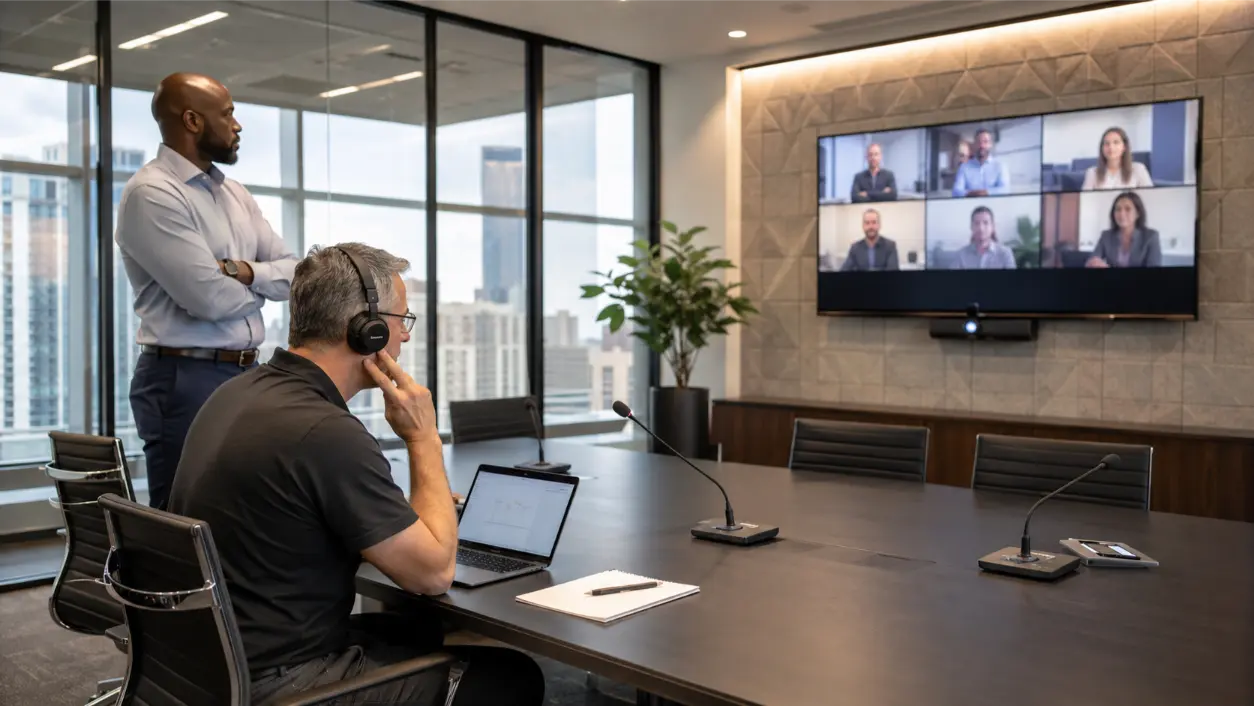
If leadership says remote participants cannot understand people in the room, conference room audio issues are rarely solved by simply turning the microphone up.
The problem may be microphone distance, poor coverage, hard room surfaces, loudspeakers feeding back into the microphones, misconfigured acoustic echo cancellation, background noise, or multiple devices joining the same call. In a hybrid meeting, the remote participant hears the room through the microphones and processing chain, so problems that feel minor in person can become obvious online.
AVI Group designs conference room AV systems in Atlanta and surrounding communities with table or ceiling microphones, DSP tuning, acoustic treatment, conferencing platforms, tested signal paths, and standardized controls. A productive troubleshooting process starts by identifying what the far end actually hears, then isolating the part of the room or signal chain responsible.
Start With the Symptom the Remote Attendee Hears
Ask the remote attendee to describe the problem in plain language. Different symptoms point to different causes.
- Voices are distant, hollow, or hard to understand: microphone placement or room reverberation is likely involved.
- One seat sounds good and another disappears: microphone coverage may not match the seating plan.
- The far-end participant hears their own voice back: acoustic echo cancellation or speaker-to-microphone interaction needs attention.
- Voices pump up and down or fade during overlap: gain control, noise suppression, automixing, or device processing may be involved.
- The room sounds fine until the HVAC starts: steady background noise is lowering the speech-to-noise ratio.
- Audio breaks up or drops completely: investigate USB, network, device, firmware, or conferencing-platform issues as well as acoustics.
Do not change several settings at once. Reproduce the complaint, change one variable, make a test call, and record the result.
Microphone Placement Is About Direct Voice, Not Just Coverage
A microphone hears both the person speaking and everything the room adds afterward. The farther the microphone is from the talker, the lower the direct voice level becomes relative to HVAC noise and reflected sound. Shure’s conferencing guidance notes that room size, materials, layout, and where people actually sit all affect microphone placement.
For table microphones, keep the intended talkers within the product’s designed pickup area and avoid placing the microphone beside laptop fans, speakerphones, cable boxes, or other noise sources. For ceiling microphones, use products specifically designed as conferencing arrays and aim or configure coverage for the actual seats, presenter positions, and whiteboard areas. A generic single-element ceiling microphone far from the talker can capture more room than voice.
There is no universal best microphone setup for every glass conference room. A small six-person room, a long executive boardroom, and a divisible training room require different coverage. The right design is the one that keeps talkers inside controlled pickup zones while minimizing unnecessary room noise and reflection.
Why Glass Conference Rooms Sound Worse on Calls
Glass walls, hard floors, large conference tables, whiteboards, and exposed ceilings can make a room look clean and modern while creating a difficult acoustic environment. Sound from a talker reaches the microphone directly, but it also bounces off those surfaces and arrives again slightly later. That lingering energy is reverberation.
Zoom’s acoustics guidance states that reverberation degrades conference-room sound quality and intelligibility, and identifies hard surfaces such as glass windows, walls, ceilings, and conference tables as common contributors. Zoom also notes that highly reverberant rooms remain reverberant even when noise-reduction processing is applied.
That distinction matters. DSP can help manage steady noise and optimize gain, but it cannot fully replace acoustic treatment. Depending on the room, practical changes can include acoustic wall or ceiling panels, absorptive finishes, strategic drapery or shades, softer furnishings, and microphone coverage that captures more direct speech and less reflected energy.
AVI Group’s conference-room service includes acoustic treatment and speech-clarity tuning as part of the broader AV design. If the room is mostly glass and hard surfaces, treating the room can be more effective than asking software to remove reflections after the microphone has already captured them.
Echo, Reverberation, and Feedback Are Different Problems
These terms are often used interchangeably, but they point to different fixes.
Echo
In a video call, acoustic echo usually means the far-end participant’s voice comes out of the local room speakers, is picked up by the local microphone, and is sent back to the far end. Zoom explains that if AEC is working correctly, the far-end participant should not hear their own voice returned. Zoom also lists multiple devices with active audio in the same room as a common cause of echo.
Reverberation
Reverberation is the room itself lingering after someone speaks. It creates the hollow, distant, “conference cave” sound that is common in glass rooms. It is primarily an acoustic and microphone-distance problem, though processing can sometimes make it more tolerable.
Feedback
Feedback is the ringing or howling loop that occurs when amplified sound from a loudspeaker re-enters a microphone with enough gain to build on itself. Speaker placement, microphone directionality, room acoustics, and gain all affect feedback margin.
Diagnosing the correct problem prevents wasted changes. Lowering speaker volume may help echo or feedback, but it will not fix a microphone positioned too far from the person speaking.
DSP and AEC Basics: Process the Right Signal in the Right Place
Digital signal processing, or DSP, can perform functions such as acoustic echo cancellation, noise reduction, automatic gain control, equalization, automixing, and routing. In a professionally integrated room, DSP is not just an accessory. It is part of how the microphones, speakers, and conferencing platform behave as one system.
Zoom Rooms supports both software audio processing and designs that use external DSP. Zoom’s current audio guidelines explain that when an external DSP is handling the relationship between microphone and loudspeaker, the room should be configured so the processing responsibilities are not duplicated unnecessarily. Shure likewise advises against enabling AEC in multiple places when its system is already providing AEC.
The practical rule for facilities and IT teams is simple: do not start turning on every echo-cancellation and noise-processing option you can find. First identify which device or software is supposed to own AEC, gain control, noise reduction, and automixing. Then verify that the room matches that design.
Speaker Level and Placement Can Create Microphone Problems
Loudspeakers have to be loud enough for people in the room to understand the remote participant, but excessive level makes the microphone’s job harder. Shure’s AEC guidance recommends reducing loudspeaker volume when possible, keeping loudspeakers farther from microphones, and avoiding speaker aim directly into microphone coverage areas.
In a boardroom, one oversized display speaker at the front may create very different sound levels from the near end of the table to the far end. Distributed or appropriately placed room speakers can sometimes provide more even listening levels with less overall acoustic level, depending on the room design.
The objective is not maximum volume. It is even, intelligible far-end speech without forcing the echo canceller or microphones to work harder than necessary.
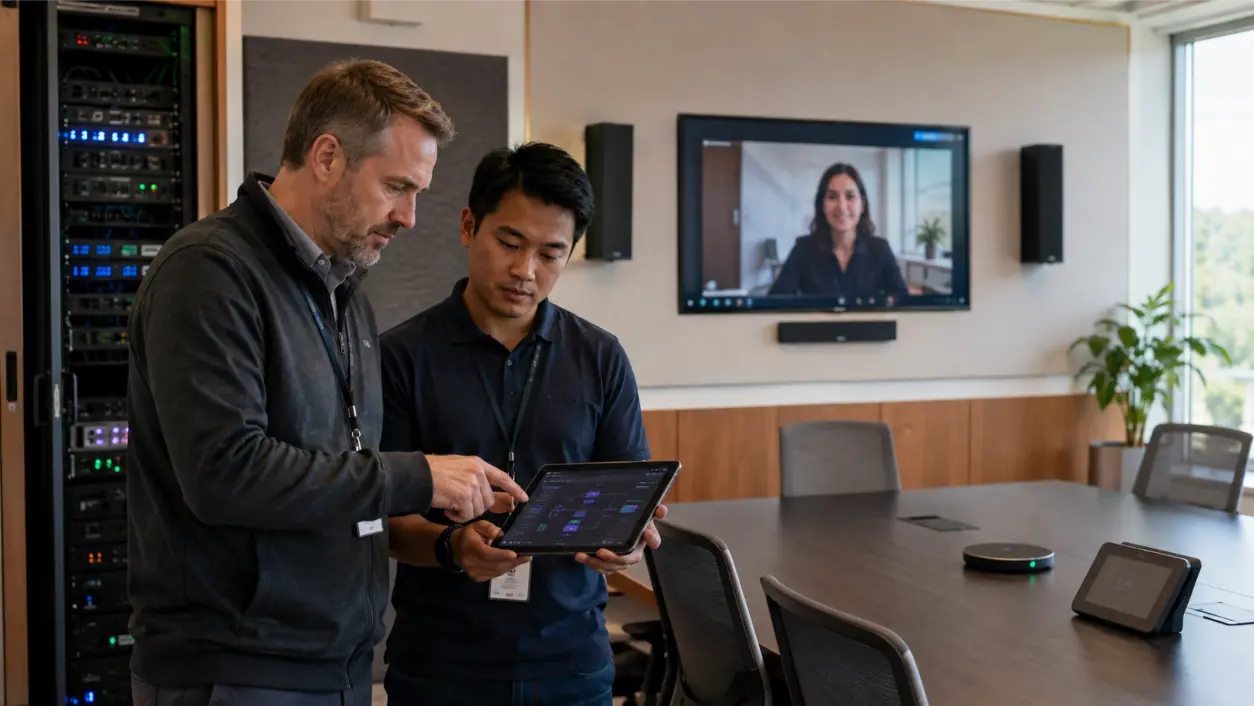
Zoom Conference Room Checks Before You Replace Hardware
- Verify the selected microphone and speaker. Make sure the room is not accidentally using a laptop microphone, display speaker, or stale USB device.
- Check for duplicate active audio. A laptop joined to the same meeting with its microphone and speakers active can create echo.
- Determine who owns audio processing. If the room uses an external DSP, confirm the Zoom processing configuration matches that design.
- Run microphone, speaker, and echo tests. Zoom’s Rooms audio guidelines include dedicated testing steps and recommend a real test call after the room passes local tests.
- Listen from the far end. A technician standing in the room cannot judge what the remote participant hears.
- Check noise suppression carefully. Zoom can reduce steady noises such as HVAC or hum, but it does not remove all transient noise and does not eliminate room reverberation.
- Review firmware and room configuration. If the problem appeared after an update or hardware change, compare the current DSP, device, and Zoom settings with the commissioned configuration.
Meeting Room Audio Troubleshooting Checklist
- Reproduce the problem on a test call with a listener outside the room.
- Test every normal seating position, not just the seat closest to the microphone.
- Identify whether the complaint is low level, hollow sound, echo, clipping, pumping, feedback, or dropouts.
- Mute or disconnect extra laptops and mobile devices in the room.
- Verify the intended microphone and speaker are selected in the conferencing system.
- Inspect microphone placement and coverage relative to real talker positions.
- Listen for HVAC, projector, fan, and mechanical noise.
- Evaluate glass, hard tables, ceilings, and other reflective surfaces for excessive reverberation.
- Confirm whether Zoom software processing or an external DSP owns AEC and other processing.
- Check speaker level and placement relative to microphone coverage.
- Review cabling, USB paths, network stability, firmware, and device health if audio drops or disconnects.
- Save a known-good room configuration and document the final settings after the issue is resolved.
When the Problem Is the Room, Not the Settings
A conference room can have high-quality microphones and still sound poor if the acoustics, coverage, or signal path were never designed as a complete system. Warning signs include people leaning toward microphones, one end of the table consistently sounding worse, chronic echo complaints, extreme DSP settings, inconsistent performance between rooms, and glass-heavy spaces with obvious reverberation.
AVI Group’s conference-room AV solutions in Atlanta include table and ceiling microphones, DSP tuning, acoustic treatment, conferencing systems, labeled cabling, network and power coordination, testing, documentation, and user training. The company also standardizes interfaces and room designs across multiple spaces, which can reduce the number of one-off configurations IT has to support.
If leadership is repeatedly reporting that remote attendees cannot hear, a professional room assessment can separate what should be fixed with placement and tuning from what requires acoustic treatment, new microphone coverage, or a redesigned signal path. AVI Group offers a free consultation for conference-room projects.
Frequently Asked Questions
Why does our conference room microphone sound bad on Zoom?
Common causes include excessive microphone distance, poor coverage, hard reflective surfaces, background noise, wrong device selection, excessive speaker level, or misconfigured DSP/AEC. Reproduce the issue on a controlled test call before changing hardware.
How do I fix echo in a Zoom conference room?
First make sure only the intended room system has active microphone and speaker audio. Then verify that acoustic echo cancellation is active in the correct part of the signal chain. If an external DSP handles AEC, avoid enabling duplicate processing without confirming the system design. Also check speaker level and placement.
What is the best microphone setup for a glass conference room?
There is no single best setup. The microphone system should provide controlled coverage of real talker positions while the room receives enough acoustic treatment to reduce reflections. Table microphones, ceiling arrays, or a combination may be appropriate depending on the room size, seating, ceiling, aesthetics, and platform design.
Can noise suppression fix a reverberant boardroom?
Not completely. Zoom specifically notes that highly reverberant rooms remain reverberant. Noise suppression can help with steady background noise, while acoustic treatment and improved microphone geometry address reflected speech more directly.
What does DSP do in a conference room?
A DSP can handle functions such as acoustic echo cancellation, noise reduction, gain control, equalization, automixing, and audio routing. In an integrated room, it helps microphones, speakers, and the conferencing platform behave consistently, but it still needs correct configuration and room acoustics.
When should we call an AV integrator instead of troubleshooting ourselves?
Bring in an integrator when problems affect multiple seats or rooms, the space is highly reverberant, the signal path includes external DSP and multiple microphones, settings are undocumented, or leadership depends on the room for high-stakes hybrid meetings. A commissioned review can test the complete path rather than replacing parts by trial and error.
This article provides general AV and conferencing guidance, not a guarantee of performance for a specific room. Microphone coverage, acoustic treatment, DSP configuration, firmware, network conditions, and conferencing-platform behavior vary by system. Follow manufacturer documentation and use qualified AV/IT professionals for commissioned conference-room systems.
RELATED LINK: Zoom Support – Zoom Rooms Audio Guidelines