
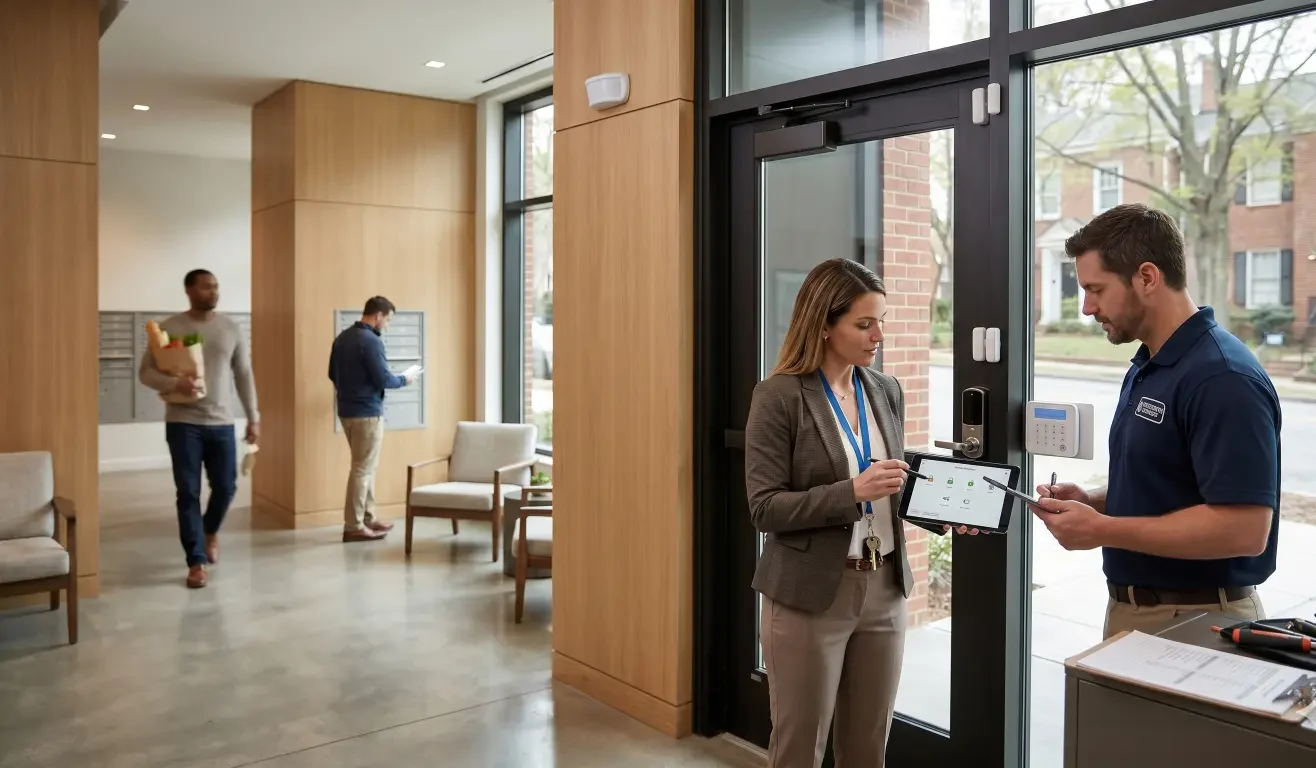
Smart locks, door sensors, cameras, and alarm systems can make property operations easier when they are designed well. They can help property managers control access, reduce key-handling headaches, monitor common areas, support maintenance workflows, and give residents a stronger sense of security. But when the system is poorly planned, the opposite happens: false alarms, tenant complaints, unnecessary dispatch calls, and staff time spent troubleshooting alerts that should never have happened.
For property managers, the goal is not simply to install more devices. The goal is to prevent false alarms smart security systems can create when door contacts, motion sensors, smart locks, entry routines, and notifications are not aligned with how residents and staff actually use the building.
False alarms usually have a cause. A door closes slowly. A sensor is mounted in the wrong location. A resident does not understand the entry delay. A cleaning crew enters outside the expected schedule. A pet crosses a motion zone. A smart lock and alarm panel are not communicating in the right sequence. A notification setting creates noise instead of clarity.
The good news is that many false alarms can be reduced with better design, better configuration, and better resident communication. This guide explains the practical steps property managers can take before and after installation.
Why False Alarms Are a Property Management Problem
False alarms are more than a technology annoyance. In multi-unit residential properties, they can affect tenant satisfaction, staff workload, emergency response relationships, and the credibility of the security system.
If an alarm goes off randomly at home, residents may stop trusting the system. If door sensors trigger too often, staff may start ignoring alerts. If motion notifications become constant, managers may disable useful monitoring altogether. Over time, a system meant to reduce friction can become a source of complaints.
Repeated false alarms can also create operational costs. Staff may need to respond after hours. Maintenance may be called to inspect devices. Residents may request explanations or refunds. In some jurisdictions, repeated false alarm dispatches can lead to warnings or fees.
For property managers, reducing false alarms is part of the resident experience. A security system should feel reliable, predictable, and easy to live with.
Start With the Building, Not the Device
A common mistake is choosing smart locks or sensors before mapping the building’s real entry patterns. Multi-unit properties are different from single-family homes. Residents, guests, delivery drivers, maintenance teams, cleaners, leasing staff, and vendors may all use the same doors in different ways.
Before adding devices, document how people move through the property. Which doors are used most often? Which entries are propped open? Which doors close slowly? Which areas have pets, HVAC airflow, bright sunlight, glass, or reflective surfaces? Which spaces are used after hours? Which vendors need access on a schedule?
This walkthrough can reveal false-alarm risks before installation. A door sensor on a poorly closing exterior door may create problems. A motion detector facing a window may react to sunlight changes. A camera or motion zone near a busy hallway may send too many notifications. A smart lock on a door used by vendors may need a different access routine than a resident unit door.
Good security design starts with behavior and environment. Devices should support the building’s routine, not fight it.
Place Door Sensors Carefully
Door sensors are simple in concept: they detect whether a door is open or closed. But placement and door condition matter. If the sensor and magnet are misaligned, the system may think the door is open when it is closed. If the door shifts with weather, settles over time, or slams hard, the sensor may become unreliable.
For multi-unit properties, door sensors should be installed on stable, appropriate surfaces and tested through normal use. That means opening and closing the door the way residents actually do, not only testing it gently during installation. Exterior doors, gates, shared amenity rooms, and maintenance entries may need extra attention because they receive frequent use.
Check for loose hinges, worn closers, warped frames, magnetic interference, and surfaces that do not hold adhesive sensors securely. A sensor installed perfectly on a door that does not close reliably will still create complaints.
Property managers should also decide which door events deserve an alarm and which deserve a notification only. Not every open-door event should be treated as an emergency. Some may be routine operational alerts.
Tune Entry and Exit Delays
Entry and exit delays are one of the most practical ways to reduce false alarms. A delay gives an authorized person time to unlock, enter, and disarm the system before an alarm event is triggered. If the delay is too short, residents or staff may accidentally trigger the alarm even when they are using the system correctly.
In a property setting, entry routines vary. A resident may carry groceries, manage children, or enter through a garage before reaching the keypad. A maintenance worker may need to unlock a door, carry tools, and then disarm. A cleaner may enter during a scheduled window but need more time than expected.
Set delays based on the actual path from entry to disarm point. Then test them with real users. If people consistently feel rushed, the setting may be creating false alarms. If the delay is too long, the system may reduce security value. The right balance depends on the property, entry type, and risk level.
Align Smart Locks With Alarm Routines
Smart lock and alarm integration issues often happen when access control and alarm status are treated as separate systems. For example, a resident unlocks the door successfully, but the alarm remains armed. Or a vendor receives temporary access but does not know whether the alarm needs to be disarmed separately.
Property managers should define what happens when an authorized user unlocks a door. Does the alarm disarm automatically? Does the user need a separate code? Are vendor codes limited to certain times? What happens if the door is unlocked but not opened? What happens if the door is left open?
These routines should be configured intentionally and explained clearly. A smart lock can reduce key friction, but it does not automatically eliminate alarm friction. The access sequence needs to match the real user journey.
For multi-unit properties, this is especially important for shared spaces such as fitness rooms, leasing offices, package rooms, maintenance closets, and amenity areas. Each space may need its own access and alarm logic.
Reduce Motion Sensor False Alarms
Motion sensors can be helpful, but they are also a common source of false alarms when placed or configured poorly. Pets, curtains, fans, HVAC vents, sunlight, reflections, insects, balloons, and moving plants can all create unwanted triggers depending on the sensor type and location.
To reduce motion sensor false alarms, avoid aiming sensors directly at windows, heating and cooling vents, ceiling fans, or areas with frequent non-human movement. In pet-friendly units or common areas, choose equipment and sensitivity settings appropriate for the environment. In hallways or amenities, consider whether motion should trigger an alarm, a recording, a light, or only a notification.
Testing matters. A sensor should be tested at different times of day, with lights on and off, with HVAC running, and during normal traffic. A system that seems fine during a quiet installation walkthrough may behave differently during a busy afternoon or windy evening.
Use Notifications as a Filter, Not a Firehose
Too many security system notifications can create alert fatigue. If property staff receive a push notification for every door open, every motion event, every low battery, every failed code, and every status change, important alerts may get buried.
Notification tuning should separate urgent events from informational events. A forced door event may need immediate attention. A door left open for several minutes may need a staff notification. A routine entry by a scheduled vendor may only need to be logged. A low battery may belong in a maintenance queue rather than an emergency alert stream.
Property managers should decide who receives which notifications. Leasing staff, maintenance teams, property managers, and security personnel do not all need the same alert list. Smart security works best when notifications are role-based and actionable.
Create Resident-Friendly Entry Routines
Residents need a system they can understand quickly. If the entry routine is confusing, false alarms become more likely. If residents are unsure whether to use a keypad, app, fob, code, or physical key, they may make mistakes under pressure.
Provide simple instructions at move-in and whenever a system changes. Explain how to lock and unlock the door, how to arm and disarm where applicable, what the entry delay means, what to do if an alarm starts, and who to contact for help.
Keep the instructions short and visual when possible. Long technical manuals are rarely helpful for residents. A one-page resident guide or quick-start email can prevent many avoidable service calls.
Also consider accessibility. Residents may vary in age, mobility, language preference, and comfort with apps. A smart security system should not assume every user wants to manage access the same way.
Manage Vendor and Staff Access Carefully
Vendors, cleaners, maintenance teams, and leasing staff are frequent sources of accidental alarms when their access is not structured. A code may work at the lock but not at the alarm panel. A vendor may arrive outside the approved time window. A staff member may enter through a door that does not match the expected routine.
Use named codes or role-based access whenever possible. Avoid shared, permanent codes that make it hard to understand who entered and when. Set schedules for recurring vendors, and disable codes that are no longer needed. If a vendor must enter an alarmed area, provide clear instructions about the alarm routine, not just the door code.
For property managers, the goal is accountability without creating unnecessary complexity. A well-designed access plan can reduce both false alarms and security gaps.
Keep Device Maintenance on a Schedule
False alarms can come from simple maintenance issues. Low batteries, loose sensors, dirty devices, weak Wi-Fi, poor network coverage, outdated firmware, and damaged door hardware can all cause unreliable behavior.
Create a maintenance checklist for smart security devices. Review battery status, sensor alignment, lock operation, door closers, firmware updates, network health, and alert history. Look for patterns. If the same door or sensor causes repeated issues, the problem may be the installation location, device type, or door hardware rather than the alarm platform itself.
In multi-unit properties, maintenance should be proactive. Waiting until residents complain repeatedly is more expensive than identifying weak points early.
Use Event History to Find Root Causes
When an alarm goes off randomly, the first question should be: what does the event history show? Review the exact sequence. Did the door open first? Did motion trigger before the door event? Was a code entered? Was the code rejected? Did the lock report jammed, unlocked, or low battery? Did a sensor lose connection?
Patterns matter. If false alarms happen at the same time each day, a vendor schedule or lighting condition may be involved. If they happen during storms, door movement or connectivity may be the issue. If they happen after cleaning, staff training may be needed.
Event history turns complaints into troubleshooting data. Without it, teams may replace devices unnecessarily or blame residents for system design problems.
Plan Smart Security as Part of the Larger Technology System
Smart locks and alarms do not operate in isolation. They depend on network quality, power, device compatibility, user permissions, control interfaces, and the broader property technology plan. A lock that works well in one building may perform poorly in another if network coverage is weak or the door hardware is inconsistent.
This is where professional design and integration can help. AVI Group works across smart home automation, networking, security systems, audio/video, lighting, and related technology integration in the Atlanta area. For property managers and multi-unit environments, that broader systems view matters because false alarms often happen at the intersection of devices, users, and building conditions.
A smart security plan should answer practical questions before installation: Which doors need smart locks? Which doors need sensors? Which events should trigger an alarm versus a notification? Who receives alerts? How are vendors managed? How is the network supporting the system? How will residents be trained? How will the system expand later?
A False Alarm Prevention Checklist for Property Managers
Use this checklist before and after deploying smart locks and alarms:
- Map resident, staff, vendor, and guest entry routines.
- Inspect door hardware before installing sensors or locks.
- Place sensors away from unstable frames, vents, direct sunlight, and high-interference areas.
- Test entry and exit delays with real users.
- Align smart lock behavior with alarm disarm routines.
- Use scheduled, named, or role-based access codes for vendors and staff.
- Tune motion sensitivity and zones for pets, airflow, windows, and high-traffic areas.
- Separate urgent alerts from routine notifications.
- Create a resident quick-start guide.
- Review event history before replacing devices.
- Schedule battery, firmware, sensor, lock, and network checks.
- Escalate repeated false alarms to a system-level review.
When to Bring in a Professional Integrator
If false alarms are occasional and clearly tied to user error, resident education may solve the problem. But if alarms continue after basic training and maintenance, the issue may be deeper. The property may need better sensor placement, network improvements, lock-alarm coordination, device replacement, or a redesigned access routine.
A professional integrator can evaluate the building, doors, wiring, network, control platform, and resident workflows as one system. That is especially useful for properties with multiple entries, shared amenities, recurring vendors, and high resident turnover.
AVI Group helps clients design technology systems that are not only advanced, but usable. For property managers, that means security should reduce friction, not create it. The right system should support resident confidence, staff efficiency, and operational control.
Final Thoughts
False alarms are rarely just random. They usually point to a mismatch between the building, the devices, the settings, and the people using the system. Smart locks and alarms can be valuable tools for property managers, but they need to be planned around real entry routines, careful sensor placement, tuned notifications, and clear user instructions.
If your property is dealing with repeated false alarms, tenant complaints, or too many security notifications, the answer may not be more devices. It may be a better-designed system.
AVI Group can help Atlanta-area property managers and residential communities evaluate smart security, access control, networking, and automation systems so the technology works more reliably in daily use. Book a free consultation to review your property’s security goals and false-alarm pain points.
FAQ
Why does my alarm go off randomly at home or in a rental unit?
Random alarm events are often caused by misaligned door sensors, poor door closure, motion sensor placement, pets, HVAC airflow, low batteries, weak connectivity, short entry delays, or user confusion. Reviewing event history can help identify the real cause.
How can property managers reduce smart security false alarms?
Property managers can reduce false alarms by mapping entry routines, placing sensors carefully, tuning motion sensitivity, setting realistic entry delays, aligning smart locks with alarm disarm routines, managing vendor access, and creating clear resident instructions.
Can smart lock and alarm integration cause false alarms?
Yes. False alarms can happen when a smart lock grants access but the alarm remains armed, when vendor access does not match the alarm schedule, or when users do not understand whether unlocking also disarms the system.
What are the best settings for door sensor delays?
The best delay depends on the property layout and entry routine. The delay should give authorized users enough time to enter and disarm without rushing, while still preserving security. It should be tested with real residents or staff.
When should a property call a smart security integrator?
A property should call an integrator when false alarms are repeated, patterns are unclear, network issues are suspected, multiple devices are not working together, or the system needs to support residents, staff, vendors, and shared spaces reliably.
RELATED LINK:
Federal Trade Commission – Consumer Advice: Home Security Systems