
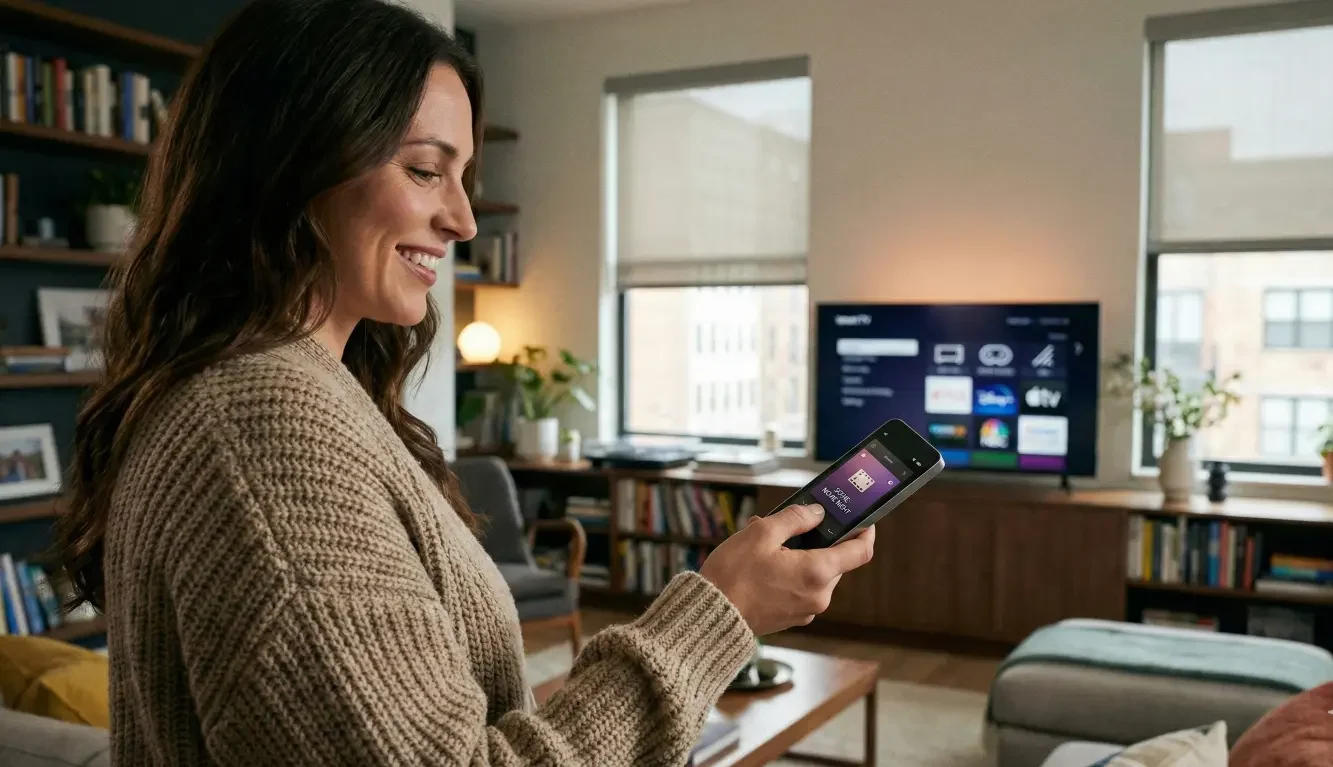
You didn’t invest in smart home technology so your family could keep living like it’s 2009—one person hunting for the right app, someone else using the TV remote for everything, and guests asking, “Which button turns on the sound?”
When a household ignores the system, it’s tempting to blame the gear. But in many homes, the hardware is fine. The friction is in the control experience: too many remotes, too many apps, too many steps, and too many “ways” to do the same thing. This guide walks through a realistic plan to create a one remote smart home control experience that feels obvious—built around routines that stick, physical controls where they matter, and a guest-friendly setup that doesn’t require a tutorial.
The real problem: you don’t have a smart home issue—you have a “control experience” issue
A smart home becomes “unused” for a predictable reason: it asks people to think too hard at the exact moment they want the opposite.
If someone has to decide between four apps, two remotes, and three different “scenes” just to watch TV with decent audio, they’ll default to whatever works fastest—even if it’s lower quality. Over time, that default becomes the household habit. The system starts to feel like it belongs to the one tech-comfortable person who can troubleshoot it, not the family.
A “one remote” goal isn’t about finding a magical device. It’s about making the path from intention to outcome predictable.
When someone thinks:
- “I want to watch a show,”
- “I want music while I cook,”
- “It’s late—make the house calm,”
- “Our guests are here—make it simple,”
…the system should respond with minimal choices and consistent results.
That’s the difference between a smart home that gets used and a smart home that gets bypassed.
Start with outcomes, not devices: define the 5 moments your family repeats
Most homes don’t need “infinite control.” They need a small set of reliable moments that cover 80–90% of daily life.
Before you touch settings, write down the five household moments that repeat every week. Use plain language and keep it human. Here are the five that usually matter most:
Movie night
The room should feel like a theater without requiring a sequence of steps. People want: screen on, correct input, audio on, lights set, volume sane.
Casual TV
This is the daily driver. It’s not the same as movie night. Casual TV should be fast, forgiving, and simple—something a guest could do without fear.
“Just music”
Music is where smart homes often become awkward because there are too many options (zones, sources, streaming services, volume groups). The goal is: music on in the right places, one volume behavior, easy stop.
Nighttime / quiet mode
This is about reducing stimulation and avoiding surprises. Lights dim, shades down (if applicable), volume limits, maybe a path-lighting scene.
Guest basics (TV + lights + simple volume)
Guests don’t need everything. They need the basics to function without calling you.
If you’re not sure what your five are, don’t overthink it. Your list should match reality, not what you wish people did. If the kids mostly watch in one room and everyone listens to music in the kitchen area, build for that.
Once you have the five moments, you have the blueprint for the rest of the system. Everything you keep should support those moments. Everything you keep that doesn’t support them should be questioned.
The “one remote” blueprint: fewer decisions, fewer surfaces, fewer failure points
A “one remote” experience is built on three principles:
- Pick one primary control surface for daily use
This might be a handheld remote, a keypad, a touchscreen, or a combination—what matters is that the household knows what the default is. If the default is “any app on any phone,” you’ve already lost, because there’s no consistency.
If you’re in a household with mixed tech comfort, assume some people won’t want to use their phone. That’s not stubbornness—it’s the desire for a control method that doesn’t require login, updates, notifications, or searching.
- Reduce duplicate paths
If the family can start TV/audio three different ways, they will choose the easiest, not the “right” one—and then complain when the results differ.
Duplicate paths create inconsistent outcomes:
- One method turns on the TV but not the sound system.
- One method starts the wrong input.
- One method keeps the lights bright.
- One method changes a volume setting that “breaks” the next session.
The goal is not to remove flexibility. The goal is to remove decision-making at the moment of use. If there’s a best path, make it the only obvious path.
- Standardize labels and naming
This sounds small until it’s not.
A smart home becomes confusing when it’s full of labels that only the installer or the tech-savvy person understands:
- “Scene 3”
- “AVR Zone 2”
- “Family Room Media”
- “Input HDMI 1”
Rename everything in the language your household uses:
- “Watch TV”
- “Movie Night”
- “Kitchen Music”
- “Good Night”
- “Guest TV”
Do the same for rooms and zones. If people call it “the den,” don’t label it “Media Room.” If your system includes multiple listening areas, avoid names that sound the same. “Living Room” and “Great Room” is a classic trap.
One remote smart home control starts to feel simple when it uses the words people already say out loud.
Routines that stick: build 3–6 routines people can remember
Routines are where the “one remote” goal becomes real, because they compress multiple actions into a single intention.
But routines only work if they’re:
- short,
- reliable,
- and named like a verb.
A routine that triggers ten devices across three systems can be impressive—and fragile. A routine that does three or four things consistently is the one people will trust.
A practical routine list often looks like this:
- Watch TV (turn on TV, correct input, audio on, set starting volume)
- Movie Night (watch setup + lights to a comfortable level + optional shade position)
- Music On (start music in the zones you actually use, set a reasonable starting volume)
- All Off (turn off entertainment + set lights to a known state)
- Good Night (dim/off certain lights, quiet mode, lock down “surprises”)
- Guest Mode (simplified control options, safe limits)
The moment you have more than 6–8 “must know” routines, the household stops remembering them. Keep it small.
The routine test: can someone explain it without the system in front of them?
Ask the least tech-comfortable person in the house:
- “What would you press to start TV?”
- “What would you press when we’re done?”
- “What would you press for music?”
If they hesitate, you have too many options or the labels aren’t intuitive.
Default states: what happens when you press it again?
One of the biggest sources of frustration is uncertainty.
If someone presses “Watch TV” and it sometimes changes sources, sometimes changes lights, or sometimes does nothing, trust breaks fast. Decide how your system behaves:
- Does pressing “Watch TV” again do nothing (safe)?
- Does it toggle off (simple but can be confusing)?
- Does “All Off” always exist as a separate, obvious action (often best)?
The safest pattern in many homes is:
- routines turn things on and set a stable state,
- a separate “All Off” turns things off.
You want people to feel confident that pressing a button won’t create a new mystery.
Physical buttons: where they beat apps every time
If your smart home is being ignored, physical controls are often the missing piece—not because apps are “bad,” but because apps are rarely the best interface for the most frequent actions.
Think of physical controls as the “no-login, no-scroll” layer of your home. When you’re carrying groceries, when kids are impatient, when a guest is trying not to look confused, physical buttons win because they remove friction.
Wall keypads / button pads for lights + scenes
Lighting is one of the easiest places to create clarity. Instead of asking people to navigate a phone app, give them a few obvious options in the places they actually stand.
A good keypad setup doesn’t try to control every light individually. It offers:
- a default scene,
- a brighter scene,
- a calmer scene,
- and off.
The best keypads feel like “mood presets,” not like a cockpit. And they’re especially powerful in open-concept spaces where multiple areas blend together.
Single-button “TV + Audio On” in the main room
If your main room is where the frustration shows up, simplify the start.
A household doesn’t want to decide:
- which remote,
- which input,
- which audio source,
- whether the soundbar is on,
- whether the receiver woke up.
If there’s one button that reliably does “TV with good sound,” people will use it. If starting entertainment is a mini-project, they’ll bypass it.
The key here is consistency. The “start” button should behave the same way every time and land on a sensible default. If different people prefer different streaming devices, that’s fine—but the starting point should be stable and easy.
Bedroom simplicity (sleep/wake scenes)
Bedrooms are where over-automation gets especially annoying. People want comfort, not surprises.
Keep bedroom control simple:
- a “Good Night” action that sets lights and quiet behavior,
- a “Wake” or “Morning” action that gently resets,
- and minimal entertainment controls.
If you’re trying to win adoption, don’t make bedrooms the place where the system feels complicated. Make them the place where the system feels calming and predictable.
Guest mode: the fastest way to stop being on-call tech support
A household’s smart home is only as usable as it is for the people who didn’t help design it.
Guests don’t want:
- access to every room,
- full control of scenes,
- the ability to change underlying settings,
- or a tutorial.
Guests want:
- TV on,
- volume control,
- a few lights,
- and a clear way to turn things off.
That’s it.
A “Guest Basics” page/card + physical quick actions
Even in a high-end home, a simple, polite guide can reduce awkwardness:
- “To watch TV: press ‘Watch TV’.”
- “Volume is on the remote.”
- “Lights: use the keypad by the entry.”
- “To turn everything off: press ‘All Off’.”
This can be a small card, a note in the guest room, or a digital screen—what matters is that it matches the control experience you designed.
The bigger win is pairing that guide with physical controls in the right places, so guests don’t need to touch your phone-based system at all.
Limiting controls safely (volume limits, simplified inputs, minimal scenes)
A guest-friendly setup often benefits from safe limits:
- avoid dangerously loud volume,
- reduce available inputs to the ones that actually work,
- keep scenes minimal.
This isn’t about restricting people. It’s about preventing accidental changes that make your next movie night feel “broken.”
If your current system lets anyone accidentally change a core setting, you’ll keep ending up in the cycle of “Why did it stop working?” Guest mode is how you break that cycle.
Common failure modes (and why “more integration” often backfires)
When families get frustrated, they often respond with “We should add more smart home features.” Sometimes that helps. Often it makes the control experience worse.
Here are the failure modes that show up repeatedly:
Over-automation that surprises people
If lights change unexpectedly or audio starts when someone didn’t ask for it, people stop trusting the system. A smart home should feel helpful, not unpredictable.
Too many apps + updates + inconsistent UI
Vendor apps change. Phones update. Logins expire. People forget passwords. What worked last month suddenly looks different this month. If your household depends on phone apps for daily use, friction is inevitable.
Remote layouts that change, unlabeled scenes, hidden logic
If the remote has too many buttons or the labels don’t match household language, people will poke around until something happens—and then they’ll be afraid to touch it again.
No plan for exceptions (sports game vs streaming, daytime vs nighttime)
A “Watch TV” routine is only helpful if it lands on the most common scenario. If your household switches contexts often, you need a simple path for exceptions without blowing up the default.
The fix is rarely “add more.” It’s “remove friction.” That can mean fewer routines, fewer control surfaces, and clearer defaults.
Proof posture: how to verify your plan will work before you redo everything
You don’t need to rebuild your entire system to validate whether your one-remote plan is good. You need a simple test that reflects real usage.
A quick usability test with your least tech-comfortable person
Pick someone who routinely avoids the system. Don’t coach them.
Ask them to do three things:
- Start casual TV with good audio.
- Turn on music in the right place.
- Turn everything off.
Watch where they hesitate. Every hesitation is a design signal:
- too many options,
- unclear labels,
- or the control surface is not intuitive.
Your goal isn’t to “train them.” Your goal is to adjust the system so they don’t need training.
The “guest test” (can someone do TV + volume + lights in 30 seconds?)
This is the most honest test you can run.
Pretend you’re a guest who doesn’t want to bother the homeowner. Could you:
- turn on TV,
- adjust volume,
- and control a couple lights
…without asking for help?
If the answer is no, guest mode isn’t ready. And if guest mode isn’t ready, it’s likely your everyday control experience is still too complex, too.
What to document and standardize (naming, scenes, room defaults)
A smart home stays usable when it’s documented in the ways that matter:
- consistent scene names,
- consistent room names,
- default routines that don’t change month to month,
- a clear “All Off.”
This doesn’t need to be a binder. It can be a simple one-page note. The point is to reduce drift, especially if you modify devices over time.
The more your system changes, the more important the “unchanging layer” becomes: labels, defaults, and the everyday path.
Next steps: a practical upgrade path that doesn’t require ripping everything out
Most “unused smart home” problems can be improved without replacing everything. A phased approach keeps it realistic and reduces the risk of making the home feel even more complicated during the transition.
Phase 1: simplify control (routines + labels + default remote surface)
Start with the lowest cost, highest impact changes:
- define your five moments,
- rename routines and rooms in household language,
- reduce duplicate control paths,
- pick the default control surface and make it obvious.
If you do only this phase well, many homes see immediate adoption improvements because the household finally understands what to do.
Phase 2: add physical buttons in the right places
Once routines are stable, reinforce them with physical controls:
- keypads for lighting scenes in high-traffic areas,
- a simple “Watch TV” / “All Off” path in the main room,
- bedroom scenes that promote calm and predictability.
Physical controls are most valuable when they map to the routines people actually use—not to every feature the system can do.
Phase 3: implement guest mode and lock the experience
When the control experience is stable, make it guest-friendly:
- limit what guests can access,
- provide simple instructions,
- add safe defaults and limits,
- reduce the chance that someone accidentally changes a core behavior.
This phase is where the system stops feeling like a personal hobby and starts feeling like a home feature.
If you’ve been living with frustration, it can feel like you need to start over. In many cases, you just need to redesign the experience around how people actually behave.
Get a “Household Usability Audit” so your system becomes effortless
If your household avoids the system because it’s confusing, you don’t need more gadgets—you need a simpler control experience.
AVI Group can help you map the five moments your family repeats, reduce duplicate controls, and design routines, physical buttons, and a guest mode that feel obvious.
Book a consultation to turn your smart home into something everyone can use—without a tutorial.
FAQ content
1) How do I control TV, lights, and sound with one remote?
Start by defining what “watching TV” should do in your home (TV on, correct input, audio on, lights set). Then create one routine that reliably delivers that outcome and make it the default path. If you want lights included, keep it minimal—one or two lighting scenes tied to the routine, not a complicated menu of options.
2) What’s the best way to simplify smart home controls for a family?
Reduce choices. Pick one default control surface, create 3–6 routines named in plain language, and eliminate duplicate paths that create inconsistent outcomes. If the family has mixed tech comfort, add physical buttons for high-frequency actions like lighting scenes and “start TV.”
3) How do I set up smart home controls for guests without giving them all access?
Give guests the basics: a simple way to turn on TV, adjust volume, and control a few lights. Limit access to deeper settings and keep available scenes minimal. Pair the setup with a short “Guest Basics” guide so guests can use the system without calling you.
4) Are universal remotes still worth it, or are there better alternatives?
Universal remotes can help, but they’re not automatically the solution. The bigger question is whether the overall experience is consistent and simple. In many homes, a combination of a default remote plus well-designed routines and a few physical buttons for lighting and scenes delivers better everyday usability than relying on apps alone.
5) Why does my family hate smart home apps even though the system is “smart”?
Because daily life demands speed and predictability. Apps often introduce friction—logins, updates, navigation, and multiple ways to do the same task. If the system requires too much thinking in the moment, people revert to the simplest workaround.
6) What should I automate—and what should stay manual?
Automate the repetitive, predictable moments (watch TV, movie night lighting, music on, good night) and keep the “edge cases” flexible. If automation surprises people or behaves inconsistently, it will reduce trust. A good rule is to automate what your household repeats every week and leave the rest accessible but not forced.
If your household avoids the system because it’s confusing, you don’t need more gadgets—you need a simpler control experience. We’ll map the five moments your family repeats, reduce duplicate controls, and design routines, physical buttons, and a guest mode that feel obvious. Book a consultation with AVI Group to make your smart home something everyone can use—without a tutorial.
Want to get clarity before you talk to anyone? Request a “One Remote Plan” worksheet so you can list your top five household moments, the rooms that matter most, and the pain points that keep people from using the system today.
RELATED LINKS: