
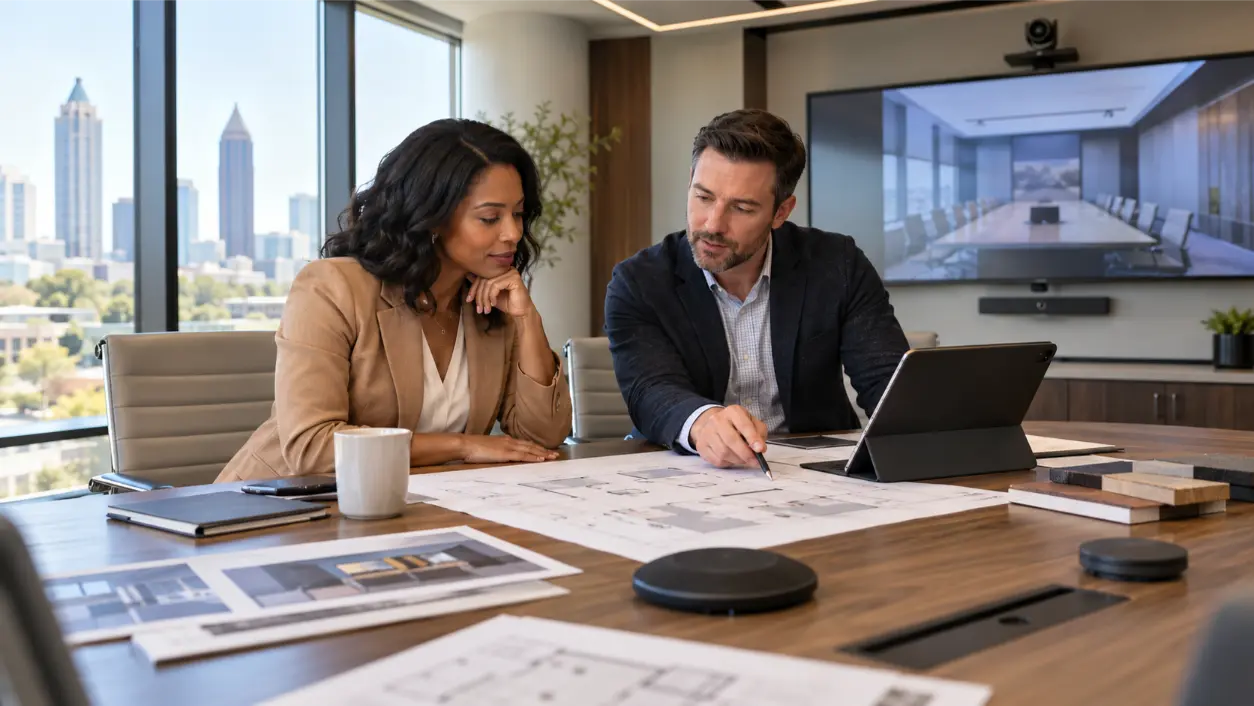
conference room technology is easier to buy when the company first decides what every room should do, how employees should use it, and how IT will support it. The mistake is to standardize products before standardizing the meeting experience. That can leave one room with a USB camera, another with a dedicated conferencing appliance, a third with different controls, and employees relearning the room every time they meet. A better approach is to define a small set of room standards first, then select equipment against them.
Start With Room Types, Not a Shopping List
Before choosing cameras, microphones, displays, or control panels, inventory the rooms you actually have. Microsoft’s current Teams Rooms planning guidance recommends documenting room size, layout, purpose, capacity, existing capabilities, desired future capabilities, acoustics, power, and network readiness before device selection. That is a useful model even if the company is not standardized on Microsoft Teams.
Most offices can simplify planning by grouping rooms into a few repeatable types rather than engineering every room as a unique project.
- Huddle rooms: small spaces for two to six people, quick calls, and informal collaboration.
- Standard conference rooms: medium rooms for recurring team meetings, client calls, presentations, and hybrid work.
- Boardrooms or large conference rooms: larger tables, more participants, more complex microphone coverage, and often dual displays or advanced camera strategies.
- Training or multipurpose rooms: spaces that may need instructor audio, audience pickup, multiple displays, recording, streaming, or flexible furniture layouts.
Once those room types are defined, create one repeatable experience for each type.
Standardize the User Workflow First
The best conference-room standard can be explained in a few seconds. A user should know how to start a meeting, share content, control volume, end the session, and get help without reading a manual.
Decide whether the organization wants dedicated room systems, bring-your-own-device (BYOD) rooms, or a deliberate mix. AVI Group’s current Conference Room AV Solutions supports both BYOD and room-based conferencing and emphasizes consistent controls across room types.
Dedicated Room System
A dedicated platform such as Microsoft Teams Rooms or Zoom Rooms can create a repeatable, one-touch workflow with calendar integration, room controls, and centralized management. This is often useful when employees live primarily inside one conferencing ecosystem and the company wants a predictable experience across rooms.
BYOD
BYOD allows the user’s laptop to run the meeting while the room provides professional cameras, microphones, speakers, and displays. It can be flexible for organizations that regularly use multiple meeting platforms or host outside clients. The tradeoff is that the laptop, adapters, permissions, and user familiarity become part of the meeting workflow.
Hybrid Standard
Some organizations use dedicated room systems as the default but preserve a simple BYOD path for guest platforms or special meetings. If that is the plan, standardize exactly how users switch modes. A hidden cable and an unlabeled input are not a strategy.
Standardize Audio Coverage Before Microphone Models
Remote participants will usually tolerate an average camera more easily than poor audio. Microsoft’s meeting-room guidance stresses that microphone and speaker coverage should include every seat and that the room should use a single coordinated audio source to avoid echo and feedback problems.
For each room standard, define the performance requirement:
- Every seated participant should be heard clearly.
- Remote voices should be intelligible throughout the room.
- The system should manage acoustic echo and normal room noise.
- Microphone placement should match furniture layout and expected movement.
- Large rooms should not rely on a small-room speakerphone simply because it is easy to install.
Only after those requirements are defined should the team decide whether a room uses an all-in-one video bar, table microphones, ceiling arrays, distributed speakers, or a more advanced digital signal processor.
Standardize Camera Coverage and Framing
Camera selection should follow room geometry and meeting behavior. A wide lens that works in a four-person huddle room may make people at the far end of a boardroom appear tiny. A camera mounted too high, too low, or too far off-axis can also make remote participants feel disconnected even if the camera itself is expensive.
Define whether each room type needs fixed framing, auto-framing, speaker tracking, presenter tracking, or multiple cameras. Microsoft’s current guidance emphasizes that camera field of view should capture all in-room participants effectively. AVI Group’s conference-room offering similarly highlights auto-framing, speaker tracking, and dual-camera strategies for larger rooms.
Standardize Display Size From Viewing Need
Do not standardize every conference room on the same display size just because procurement prefers one SKU. The display must be large enough for the farthest participant to read the content the room is expected to show.
AVIXA’s current ANSI/AVIXA V202.01:2026 standard determines display image size and viewing positions based on user need, including basic and analytical decision-making tasks. That is a better foundation than a simple “65-inch for every room” rule.
For each room type, define:
- Farthest viewing distance.
- Whether users mainly view faces, slides, spreadsheets, dashboards, drawings, or detailed technical content.
- Single-display versus dual-display workflow.
- Mounting height and sightlines from every seat.
- Whether the room must support local presentation without starting a video call.
Standardize Content Sharing
Employees should not have to guess how to put a laptop on the screen. Decide which sharing methods are required across the organization: USB-C, HDMI, wireless presentation, native platform sharing, or a combination.
Then make the interaction consistent. If every medium room uses the same USB-C connection point and the same wireless-share procedure, employees learn the pattern once. Guest access should also be intentional: a client should be able to present without IT temporarily dismantling the room standard.
Standardize the Control Interface
Excellent hardware can still feel unreliable when controls differ from room to room. AVI Group’s current commercial conference-room approach emphasizes one-tap meeting start and consistent interfaces across rooms. That is the right objective.
Decide which functions the user should see:
- Start or join the scheduled meeting.
- Present content.
- Adjust room volume.
- Mute microphones.
- Select a camera mode when appropriate.
- End the meeting and return the room to a known state.
Advanced functions can remain available to support staff without crowding the interface.
Standardize Room Acoustics and Lighting Expectations
Conference-room performance is partly architectural. Glass walls, hard floors, exposed ceilings, loud HVAC systems, and poor lighting can undermine premium cameras and microphones.
Microsoft’s planning guidance specifically calls out echo, noisy air conditioning, room layout, and camera visibility as planning factors. Zoom’s current Room Design Guide also treats lighting, furniture, acoustics, and audio as core design issues, not accessories.
Create minimum room standards for reverberation control, background noise, lighting on faces, glare management, and camera sightlines. AVI Group’s article on glass conference room echo is a useful example of why room surfaces and audio design should be evaluated together before buying replacement hardware.
Standardize Network, Power, and Rack Infrastructure
Modern meeting rooms are networked systems. Cameras, touch panels, scheduling displays, codecs, control processors, wireless sharing devices, and remote-management tools may all depend on the corporate network.
Before procurement, define:
- Required wired network drops and Power over Ethernet (PoE).
- VLAN or segmentation requirements.
- Authentication and firewall responsibilities.
- Who owns firmware and software updates.
- UPS, surge protection, and shutdown behavior.
- Where equipment is mounted and how it is ventilated.
- Cable labeling and documentation standards.
These details matter even more when a standard will be replicated across multiple floors or offices.
Standardize Support and Monitoring Before Deployment
The room is not finished when the installer leaves. Microsoft’s Teams Rooms deployment framework separates planning, deployment, and management because meeting spaces require ongoing operations. AVI Group likewise includes documentation, training, centralized management, remote monitoring, alerts, and firmware paths in its current conference-room offering.
Define who receives room alerts, who can remotely inspect device health, what information users provide when reporting a problem, and what the escalation path looks like. A repeatable support model is one of the biggest operational benefits of standardization.
Create a Room Standard Sheet
Before purchasing equipment, create a one-page standard for each room type. It should describe outcomes first and hardware second.
- Room type, capacity, and intended meeting modes.
- Primary conferencing platform and approved BYOD behavior.
- Display quantity, viewing requirement, and mounting intent.
- Camera coverage and framing requirement.
- Microphone and speaker coverage requirement.
- Content-sharing methods.
- User-control workflow.
- Room scheduling requirement.
- Network, power, rack, and cabling requirements.
- Acoustic and lighting expectations.
- Remote monitoring and support model.
- Documentation, training, and commissioning requirements.
Once that sheet is approved, specific equipment can be selected against it. If a product changes or becomes unavailable, the standard survives because the performance requirement remains clear.
What Not to Standardize Blindly
Consistency does not mean forcing every room into identical hardware. Different room sizes and purposes need different solutions. Standardize the experience, naming, control logic, support model, documentation, and performance expectations. Let the hardware scale to the room.
A huddle room may use an integrated video bar while a large boardroom needs separate microphones, speakers, cameras, displays, and processing. Both can still feel like the same company when the join workflow, sharing method, interface, documentation, and support process are consistent.
How AVI Group Fits the Conference Room Standardization Process
AVI Group designs and installs conference room AV systems in Atlanta and nearby communities, covering boardrooms, conference rooms, huddle spaces, training rooms, BYOD environments, dedicated room systems, scheduling, acoustics, and centralized support. Its current process specifically starts with mapping room types, user profiles, and IT/security requirements before defining repeatable room standards.
That approach is useful for an office manager upgrading one room and even more valuable when several rooms need to feel consistent. A free consultation can turn the room inventory and user requirements into a repeatable AV standard before the organization commits to hardware.
FAQ: Conference Room Technology Planning
What conference room technology should we standardize first?
Start with room types, user workflow, conferencing platform strategy, audio and camera coverage, display requirements, content sharing, control behavior, network needs, and support. Product models should follow those requirements.
Should every conference room use the same equipment?
No. A small huddle room and a large boardroom have different coverage and performance needs. Standardize the user experience and engineering requirements, then scale the hardware by room type.
Is BYOD or a dedicated room system better?
Neither is universally better. Dedicated systems can create a highly consistent one-touch experience, while BYOD can be more flexible across meeting platforms. Some organizations use a dedicated platform as the default and preserve an intentional BYOD path for guest meetings.
How large should a conference room display be?
Display size should be based on room geometry, farthest viewing position, and the detail users need to see. AVIXA’s current display-image-size standard is designed around viewing need rather than a single screen size for every room.
Why do conference rooms with good equipment still sound bad?
Microphones and speakers interact with the room. Hard reflective surfaces, excessive reverberation, loud HVAC, poor microphone placement, and inadequate speaker coverage can create hollow or difficult calls even when the devices themselves are high quality.
The Bottom Line
Conference-room standardization works best when the company standardizes the meeting experience before it standardizes hardware. Define a small family of room types, decide how meetings start and content is shared, establish audio/video coverage, size displays for real viewing needs, align with IT and network policies, and create one support model.
Once those decisions are documented, equipment selection becomes simpler, multi-room rollouts become more predictable, and employees stop having to learn a new meeting-room personality every time they walk down the hall.
Disclaimer: This article provides general conference-room and audiovisual planning information. Equipment compatibility, platform requirements, network security, power, accessibility, acoustics, building conditions, and system performance depend on the specific room, organization, and current manufacturer or platform requirements. A qualified AV integrator and the organization’s IT team should review project-specific design and deployment decisions.
Official Resources
- AVIXA – Display Image Size for 2D Content in Audiovisual Systems
- Microsoft – Plan Microsoft Teams Rooms
- Zoom – Zoom Rooms Design Guide
RELATED LINK: AVIXA – Display Image Size for 2D Content in Audiovisual Systems