
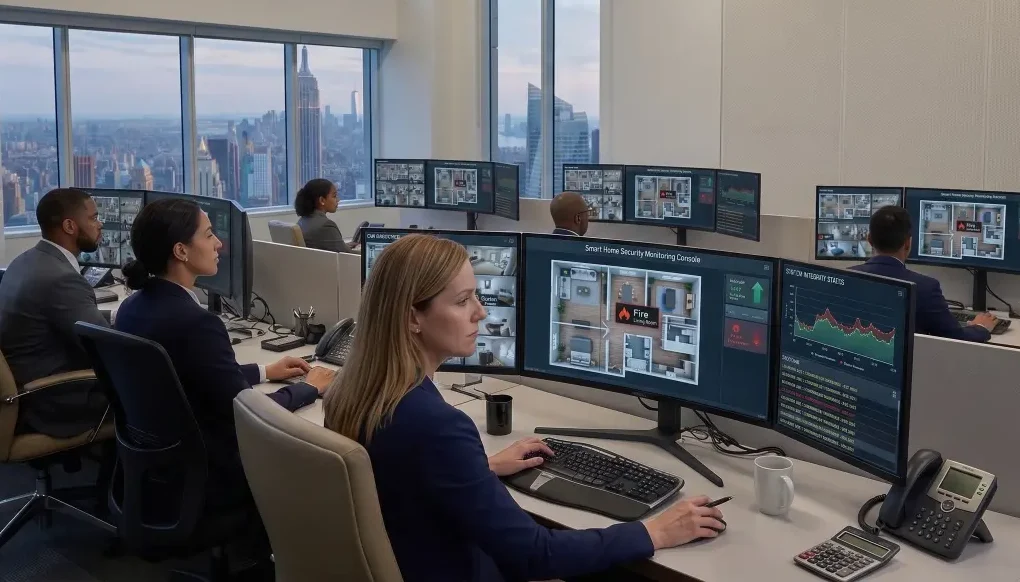
If your smart home keeps needing small fixes—lighting scenes breaking, apps glitching, or devices dropping offline—you’ve probably heard “remote monitoring” pitched as the solution. But that phrase can mean very different things depending on who is offering it and how your system is set up.
For one homeowner, smart home remote monitoring may mean getting a text when the network goes down. For another, it may mean a support team can log in, diagnose the issue, and resolve part of it without an onsite visit. In more involved setups, it may also include proactive system oversight that helps catch certain problems before they become daily frustrations.
That difference matters. When you rely on your smart home for lighting, climate, security, audio, and entertainment, the goal is not just to have advanced technology. It is to have a system that feels dependable, easy to live with, and supported in a way that matches how you actually use it.
Why “Remote Monitoring” Means Different Things to Different Providers
“Remote monitoring” sounds straightforward, but in practice it is often used as a catch-all phrase.
Some providers use it to describe basic system alerts. Others use it to describe remote support when you call with a problem. Still others use it to describe a more active service model where parts of the system are being watched for signs of trouble. All of those may fall under the same general label, even though they create very different expectations.
That is where frustration tends to start. A homeowner hears “we can monitor your system” and assumes someone is actively watching for issues, responding quickly, and fixing things behind the scenes. The provider may mean something much narrower, such as getting notified when a device drops offline. Neither side is necessarily being misleading, but the gap between what is promised and what is assumed can be significant.
This is especially important in larger homes or more layered systems. If your setup includes networking, smart lighting, shades, distributed audio, video distribution, climate control, and security integrations, support is rarely just about one device. A small issue in one layer can affect the rest of the experience. When that happens, “remote monitoring” only helps if everyone is clear on what is actually included.
The Three Levels of Smart Home Remote Support
The easiest way to make sense of remote support is to think of it in levels. Not every provider uses these exact labels, but most offerings fall into some version of these categories.
Level 1: Basic Alerting (You’re Notified)
At the most basic level, remote monitoring may simply mean your system can generate alerts when something is offline or behaving unexpectedly.
That could include:
In this model, the main benefit is visibility. Instead of discovering a problem only when you try to use the system, you may receive notice that something is wrong. That can be useful, especially if the issue affects a core part of the house, such as networking or control.
But this level is often misunderstood. Basic alerting does not necessarily mean someone is stepping in to solve the problem. It may simply mean the problem is visible sooner.
For a homeowner, that can still be worthwhile. If your system is generally stable and you mostly want faster awareness when something goes wrong, alerting may be enough. But if you are expecting active troubleshooting, it probably will not feel like enough for long.
Level 2: Remote Troubleshooting (You Call, They Fix)
The next level is more hands-on, but still reactive.
In this setup, your integrator can access the system remotely when something is not working. You notice a problem, reach out, and the support team logs in to diagnose it. That might involve checking device status, reviewing settings, restarting components, or making small configuration changes.
For many homeowners, this is what they actually mean when they ask about remote support for home automation systems. They do not necessarily need someone watching the system around the clock. They want to avoid unnecessary site visits and get quicker help when something stops working.
This model tends to work well for issues such as:
It is practical, efficient, and often the most useful middle ground. But it is still reactive. If you do not notice the problem or do not reach out, nothing happens. That is an important distinction.
Level 3: Proactive Monitoring & Management (They’re Watching It)
The most involved level is proactive monitoring and management.
Here, the goal is not just to respond when you call. It is to keep an eye on system health, spot certain issues earlier, and reduce the chances that small technical problems keep disrupting daily use.
Depending on the setup, proactive support may involve watching for signs such as:
In some cases, that means the support team can address certain issues before you notice them. In others, it means they can contact you with context instead of starting from scratch after something fails.
This is often the best fit for homeowners with more complex systems, multiple users in the household, or ongoing requests for small tweaks and refinements. If your home is heavily integrated and your expectations are closer to “it should just work,” a more proactive support model may make more sense than occasional troubleshooting alone.
It is also the level most likely to be oversold or misunderstood. Proactive monitoring does not mean every issue is prevented. It does not mean all fixes happen automatically. And it does not replace the need for updates, maintenance, or occasional onsite service. What it can do is improve visibility, shorten the path to diagnosis, and support a more reliable ownership experience.
What’s Actually Being Monitored (and What Isn’t)
One of the biggest sources of confusion is the word “monitoring” itself. Homeowners understandably wonder whether that means someone is watching everything happening in the home.
In most setups, that is not what smart home remote monitoring is about.
What is often being monitored includes the technical health of the system:
That is very different from monitoring your personal activity. In most setups, the focus is on whether the technology is functioning as expected, not on what content you are watching, what conversations are happening in the house, or how you are using each room moment by moment.
This is why it helps to separate system oversight from personal surveillance. If your integrator says they can monitor your network, that usually refers to the health and status of key infrastructure, not browsing through your private information. If they say they can monitor devices, that usually means whether those devices are online, responsive, and working within the larger system.
That said, exact capabilities can vary. The right question is not “Are you monitoring my home?” but “What technical information can you see, and for what purpose?” A professional provider should be able to answer that clearly, in plain language.
Privacy Boundaries: What Access Really Means
Privacy concerns are reasonable. For many homeowners, the phrase “remote access” can sound more invasive than it actually is.
The reality is that remote support usually depends on controlled access to system data, settings, and device status. That access is what allows a support team to identify configuration problems, check the state of connected equipment, and make adjustments when appropriate. Without it, many remote fixes would not be possible.
But access should have boundaries.
A clear support relationship should define:
For example, there is a difference between being able to see that a device is offline and being able to access personal content. There is also a difference between checking whether a system processor is healthy and actively viewing sensitive areas of the home. Those distinctions should not be left vague.
If privacy matters to you—and it should—ask direct questions. What data is visible? What is logged? What is off-limits? How is access managed? A good answer will be specific and calm, not evasive or overly technical.
Remote support works best when it feels transparent. You should know what kind of access exists, why it is needed, and how it supports reliability without crossing boundaries that matter to your household.
Response Expectations: What Happens When Something Breaks
Even when remote monitoring is in place, the support experience still depends on what happens after a problem appears.
A helpful way to think about it is as a sequence:
That response might be a remote adjustment, a reboot, a settings correction, a recommendation for follow-up, or an onsite visit if the issue cannot be resolved remotely.
This is where AV service plan expectations matter. Many homeowners hear “monitoring” and assume instant intervention. In reality, the timeline depends on the level of service, the type of issue, and the scope of the support arrangement. Some problems are easy to diagnose remotely. Others are not. A network hiccup may be one thing; a failing hardware component or physical wiring issue is another.
That does not make remote support less valuable. It simply means the value is often in faster awareness, better diagnosis, and fewer unnecessary visits—not in a promise that every disruption disappears immediately.
For homeowners with recurring small issues, that alone can be meaningful. If your lighting schedules need refinement, your system needs occasional programming adjustments, or family members are using the house in ways that expose friction points, remote access can make those corrections much easier. It shortens the distance between “something feels off” and “someone can look at it.”
But it is still important to ask practical questions before committing to any plan:
Clear expectations do more than protect against disappointment. They help you choose the kind of support that actually fits your home.
Common Misconceptions That Lead to Frustration
Most dissatisfaction with remote monitoring does not come from the idea itself. It comes from assumptions that were never clarified.
One common misconception is that monitoring means every issue will be fixed automatically. In reality, some problems can be corrected remotely, some can only be diagnosed remotely, and some still require a visit. Monitoring may make support faster and more informed, but it does not remove the need for service altogether.
Another misconception is that monitoring means immediate response no matter what. Some support relationships are highly proactive. Others are simply structured to make remote troubleshooting possible. If a homeowner expects constant active oversight but has only signed up for limited alerting or on-request support, frustration is almost inevitable.
There is also the assumption that once monitoring is in place, the system no longer needs maintenance, adjustments, or occasional updates. That is rarely the case. Smart homes are not static. Devices age, networks evolve, apps change, family routines shift, and new expectations emerge. A support plan can help you manage that reality, but it does not make the system permanent or friction-free.
Finally, some homeowners assume remote monitoring only matters when something breaks. In practice, it can be just as valuable for small quality-of-life issues—the kinds of recurring annoyances that never feel serious enough for a major service call but still make the home less enjoyable to use. If your system needs frequent tweaks and troubleshooting, those smaller pain points are often the best reason to think more carefully about support.
When Remote Monitoring Actually Makes Sense
Not every home needs the same level of service.
If your setup is simple, stable, and used in a very predictable way, basic support may be enough. But remote monitoring becomes more compelling when the home itself is more layered, more personalized, or more dependent on seamless performance.
It often makes sense when:
It can also make sense after the installation phase is over. A lot of support needs do not appear on day one. They show up once the system is part of everyday life. A room gets used differently than expected. A routine changes. A device that seemed fine during commissioning starts behaving inconsistently after months of regular use. That is where ongoing support becomes less about emergency response and more about maintaining a smooth experience over time.
For homeowners with complex systems, remote monitoring is often less about the word “monitoring” and more about continuity. It is a way to stay connected to the professionals who understand how the system was designed, how the pieces work together, and what should happen when the experience starts to drift.
How to Evaluate a Service Plan Before You Commit
If you are comparing support options, the most useful approach is to move past broad labels and ask specific questions.
Start with what triggers an alert. If the provider says they monitor your system, ask what they are actually monitoring. Is it the core network? Device connectivity? Control system status? Specific rooms or subsystems? A vague answer usually leads to vague expectations.
Then ask who responds and how quickly the process begins. That does not mean asking for guarantees that may not be realistic. It means understanding whether the support model is designed for notification, scheduled follow-up, active triage, or live troubleshooting when issues arise.
Next, ask what is included and what is billable. This matters more than many homeowners expect. A plan may include monitoring and some remote support, while more involved reprogramming, hardware replacement, or onsite service remains separate. That is not necessarily a problem. It only becomes one when the scope is unclear.
It is also worth asking how the provider thinks about ongoing support in general. Do they treat it as a narrow technical add-on, or as part of maintaining a system that should keep fitting your lifestyle over time? The second approach is often a better sign, especially in a high-end home where convenience and consistency are part of the value of the original investment.
If you are already dealing with recurring issues, this is also the right time to mention them directly. Explain the actual friction:
Those details help a professional integrator recommend a support approach that matches reality, not just a menu of services.
If your system needs frequent tweaks or just isn’t as reliable as it should be, it may be time to rethink how it’s supported. We’ll walk through how your system is set up today, what’s causing the friction, and whether remote monitoring—or a different approach—actually makes sense. Schedule a free consultation and get clarity on what support should look like for your home.
A Smarter Way to Think About Ongoing Support
The most helpful way to think about remote monitoring is not as a magic feature, but as one part of a larger service relationship.
A smart home is not just a collection of devices. It is an environment that should feel intuitive, dependable, and aligned with how your household lives. When support is structured well, remote access and monitoring help maintain that experience. They make it easier to spot issues, solve problems efficiently, and keep small annoyances from turning into long-term frustration.
That does not mean every homeowner needs the highest level of proactive oversight. It means the right support model should match the complexity of the system, the expectations of the household, and the amount of hands-on troubleshooting you are willing to do yourself.
For some homeowners, that may be simple alerting. For others, it may be responsive remote troubleshooting. And for homes where the system touches nearly every part of daily life, a more proactive approach may be worth considering.
The key is clarity. Once you understand what remote monitoring actually includes, it becomes much easier to decide what kind of support belongs in your home—and what does not.
Explore a Support Approach That Fits Your System
If your system needs frequent tweaks or just isn’t as reliable as it should be, it may be time to rethink how it’s supported.
We’ll walk through how your system is set up today, what’s causing the friction, and whether remote monitoring—or a different approach—actually makes sense.
Schedule a free consultation and get clarity on what support should look like for your home.
FAQ Content
What is remote monitoring for a smart home?
Remote monitoring for a smart home usually means some level of visibility into the health of the system. That may include alerts when devices go offline, insight into network performance, or the ability for a support team to review system status and help troubleshoot problems remotely. The exact scope can vary by provider, so it is important to ask what is included.
Does my integrator monitor my home network?
In many cases, an integrator may be able to monitor parts of your home network that affect system reliability, such as connectivity or device status. That usually refers to technical performance rather than personal activity. If network monitoring is part of your support plan, your provider should be able to explain what they can see and how that information is used.
Can remote monitoring fix problems automatically?
Not always. Some issues can be identified early, and some can be addressed remotely, but remote monitoring does not mean every problem is fixed automatically. In many situations, it helps by making diagnosis faster and support more informed. Certain issues may still require manual intervention or an onsite visit.
What’s the difference between monitoring and support?
Monitoring is typically about visibility—knowing when something is wrong or trending in the wrong direction. Support is what happens next: troubleshooting, making adjustments, answering questions, or scheduling service when needed. Some plans include both, while others focus more heavily on one or the other.
Is smart home monitoring a privacy risk?
It depends on how access is structured, but in many setups the focus is on system health rather than personal content. A professional provider should be clear about what they can access, what they cannot, and how remote access is managed. If privacy is a concern, ask direct questions before enrolling in a plan.
When should I choose a monitoring subscription?
A monitoring subscription may make sense if your home has a complex integrated system, you rely on it daily, or you are dealing with recurring issues that benefit from faster diagnosis and ongoing support. It can also be valuable if you prefer not to troubleshoot technical problems yourself and want a clearer path to help when something feels off.
If your system needs frequent tweaks or just isn’t as reliable as it should be, it may be time to rethink how it’s supported.
We’ll walk through how your system is set up today, what’s causing the friction, and whether remote monitoring—or a different approach—actually makes sense.
Schedule a free consultation and get clarity on what support should look like for your home.
RELATED LINKS:
CEDIA (Custom Electronic Design & Installation Association)