
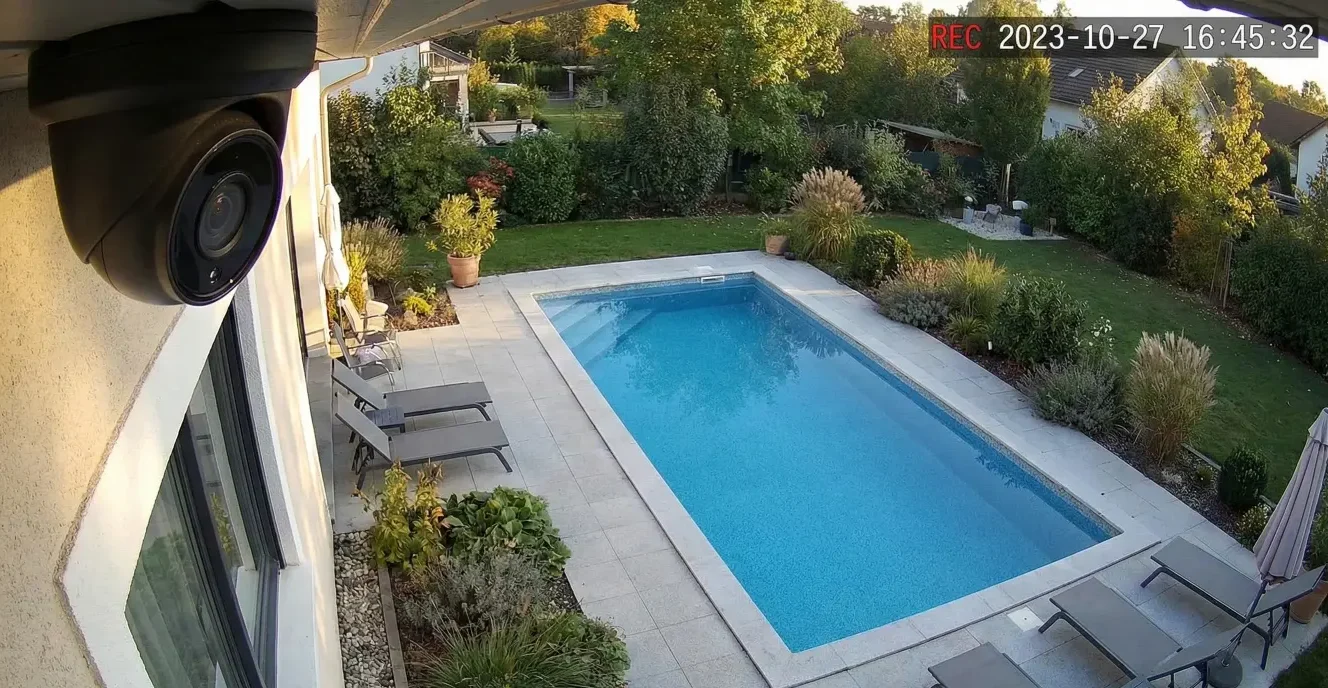
You can want security and still hate the idea of cameras inside your home. For a lot of families, indoor surveillance creates tension—especially in shared spaces and kids’ areas—even if the homeowner’s intent is purely safety. The good news is you don’t have to choose between “no cameras” and “cameras everywhere.” A privacy-first camera setup is a design approach: you decide what you’re trying to protect, where cameras should and shouldn’t go, how footage is stored, and who can access it.
This guide walks through the practical decisions that make a home feel safer without turning it into a surveillance zone: clear placement boundaries, local recording vs cloud tradeoffs, permission models that avoid shared-password chaos, and a few simple network habits that reduce risk without turning you into an IT department.
Privacy First Smart Home Cameras: Safer Coverage
Privacy-first security starts with a simple question: what are you trying to prove or prevent?
Before you talk about camera models, storage plans, or apps, get specific about the outcome. Most homeowners want cameras for one of three reasons:
- Evidence when something happens: packages disappear, a car is hit, a gate is left open, a contractor claims they weren’t there.
- Deterrence: visible coverage reduces opportunistic behavior around entrances and driveways.
- Visibility: knowing what’s happening at the perimeter—without guessing.
Notice what’s not on that list: “record every moment of life indoors.”
That’s where many setups go wrong. When a system is designed to “cover everything,” it usually creates privacy blowback: family members feel watched, guests feel uneasy, and the homeowner ends up turning cameras off manually. Inconsistent coverage defeats the original purpose, and the system becomes a source of stress rather than reassurance.
A privacy-first approach flips the logic: define the security moments you actually need, then design the smallest footprint that reliably captures those moments.
Where not to place security cameras at home (clear boundaries)
If your family is uncomfortable with indoor cameras, the fastest way to build trust is to put boundaries in writing—even if it’s just a quick household agreement. “We won’t place cameras in X, Y, Z” lowers anxiety and makes every other decision easier.
Bedrooms, bathrooms, guest rooms: the hard no’s
These are the simplest rules. Private areas are private. A camera doesn’t belong where people change clothes, sleep, or expect solitude. Even if the intent is “security,” it’s hard to justify the tradeoff—and it’s a common reason families reject a camera plan entirely.
Kids’ spaces and shared family spaces: why discomfort matters
Kids’ rooms and play areas deserve extra caution. Even beyond privacy, indoor cameras can shift the emotional feel of the home: people act differently when they think they might be recorded.
Shared spaces (living rooms, kitchens, hallways) are trickier. You might think, “It’s just a common area,” but this is often where family members feel most watched—because it’s where daily life happens.
If you’re trying to keep peace in the household, it’s usually better to avoid broad indoor coverage. If a camera is truly needed indoors (we’ll cover legitimate cases later), it should be narrow-purpose, clearly communicated, and designed with physical privacy controls.
Sightlines: avoid capturing neighbors’ windows/yards (principle-level)
Privacy-first design isn’t only about your family. Wide-angle lenses can capture more than you intend, including neighboring windows or areas that aren’t relevant to your security goals.
The principle is simple: aim cameras at your own entry points and property lines, not into other people’s living spaces. Most homeowners don’t want to deal with neighbor tension, and you don’t need extra footage to secure your home.
The privacy-first layout: perimeter coverage beats indoor surveillance for most homes
If you want meaningful security coverage without “creepy indoor surveillance,” design from the outside in.
A solid perimeter-focused plan typically covers:
- Front door / porch (packages, visitors, deliveries)
- Driveway (vehicles, approach path)
- Side access points (the places people actually use to enter quietly)
- Backyard gates and rear doors (especially if you have a fence line or alley access)
- Detached structures (garage, pool house, shed) if they’re part of your risk picture
Think of perimeter cameras as “event cameras.” They capture the moments that matter: arrivals, departures, entries, and boundary crossings.
Here’s the contrarian truth that helps settle many family debates:
Indoor cameras feel like security—perimeter cameras are security.
Indoor cameras mainly record what already happened after someone got inside. Perimeter cameras, on the other hand, give you context (approach direction, timing, behavior) and can reduce incidents by discouraging casual opportunists.
If your family is uncomfortable with indoor cameras, start with perimeter coverage and a doorbell camera. Many homeowners find that’s enough to meet the real goal—proof and visibility—without compromising the feeling of home.
Indoor cameras: when they’re appropriate—and how to design them responsibly
Some homeowners do have valid reasons for limited indoor cameras. The key is to treat indoor coverage like a scalpel, not a net.
Narrow purpose use cases (where indoor cameras can make sense)
Indoor cameras may be appropriate when they have a specific, agreed-upon purpose, such as:
- Monitoring a single entryway that opens into the home (not the whole living space)
- Short-term monitoring during a specific situation (for example, after a break-in or while a trusted contractor is working in a sensitive area)
- A targeted safety use case where household members consent and understand when it’s on
Even in these cases, the goal should be minimal scope: capture the event, not the household.
Physical privacy controls (lens covers, power controls)
If the family is uneasy, digital “privacy mode” alone often doesn’t feel reassuring. Physical controls build trust because they’re visible and verifiable.
Examples of privacy-forward controls include:
- A lens cover that makes it obvious when the camera is not viewing
- A dedicated power control (so “off” is truly off)
- Placement that avoids capturing seating areas, dining areas, or kids’ routines
Not every camera supports every feature, so think in categories: if you can’t confidently explain how “off” works, you’re designing a system your family won’t trust.
Scheduling and modes (home/away) without relying on manual toggling
Manual toggling is where good intentions go to die. If you have to remember to turn indoor cameras off every day, eventually you’ll forget—or your family will resent the burden.
A better approach (conceptually) is to use modes:
- “Away” mode enables broader monitoring
- “Home” mode limits or disables indoor coverage
The key is consistency. Whatever approach you choose, it needs to be predictable to the household. Uncertainty (“Is it on right now?”) is what creates the uneasy feeling.
Local recording vs cloud: the decision that defines privacy
Where footage lives—and how it’s accessed—shapes the privacy posture of the entire system. You don’t have to be paranoid to care about this. If your family is already uncomfortable with indoor cameras, storage choices matter even more.
What “local” typically means vs cloud accounts
At a high level:
- Local recording usually means footage is stored on equipment located at the home (on-site storage/recorder).
- Cloud recording means footage is stored on servers managed by a third party and accessed through an account.
There’s no universal “best.” There are tradeoffs.
Tradeoffs: convenience, retention, access, recovery (no absolutes)
Cloud can be convenient: easy remote access, simpler setup, and fewer boxes at home. But it can also increase the importance of account security, retention settings, and knowing exactly who has access.
Local storage can reduce reliance on third-party access and subscription models, but it introduces its own responsibilities: securing the recorder, protecting access to it, and making sure remote access (if enabled) is configured safely.
Safe guidance: choose based on who needs access and family comfort
If your primary concern is household comfort and control, focus on these questions:
- Who needs to view footage regularly?
- Who should have admin rights versus viewer rights?
- How quickly do you need to retrieve footage after an incident?
- How comfortable is your household with cloud accounts and remote access?
If you can’t answer “who can access footage” clearly, the system isn’t privacy-first yet—no matter where it records.
Permissions and access: who can view footage, and how to avoid shared-password chaos
A surprising number of privacy problems don’t come from camera placement. They come from access.
The common failure pattern looks like this:
- One login is shared with a spouse
- Then shared with a family member
- Then used by a babysitter “just in case”
- Then nobody remembers who has access—and the password never changes
A privacy-first camera plan treats access like a household policy.
Role-based access mindset (owner/admin/viewer)
Even if your platform doesn’t use these exact labels, the concept matters:
- Owner/Admin: can change settings, add/remove users, adjust recording modes, manage storage
- Viewer: can view live/recorded footage but can’t change critical configuration
- Temporary/Guest access: limited time, limited scope
The biggest mistake is giving everyone admin access for convenience. Admin rights are the keys to the kingdom—permissions, retention, and device settings.
Removing access when circumstances change
Privacy-first design includes an “offboarding” habit:
- Babysitter stops working with you → access removed
- Contractor project ends → access removed
- Relationship changes → access reviewed
It’s not dramatic. It’s normal security hygiene.
Notifications and audit posture (where available)
Some systems show device logins or access activity. If your platform supports this, it’s worth using—not because you distrust your family, but because it creates accountability and clarity.
If a platform doesn’t offer visibility into access, the privacy-first alternative is even more important: separate logins and strong account security.
Secure home camera network tips (without making it feel like an IT project)
You don’t need to become a network engineer to improve your camera security posture. But cameras are connected devices, and connected devices benefit from a little structure.
Separate network concept in plain language (TBD)
Many privacy-forward setups use a “separate network” approach for smart devices. In plain terms: cameras and smart devices live on a segment that doesn’t have easy access to your personal laptops and phones.
You don’t have to obsess over terminology. The point is compartmentalization: if one device gets compromised, it has fewer pathways into your personal data.
If this feels like too much for a DIY approach, this is exactly where a professional integrator can translate the concept into a clean, reliable setup.
Strong account security basics (unique passwords, MFA where available)
This is boring—and it’s the difference between confidence and risk:
- Use a unique password for your camera platform account
- Enable multi-factor authentication (MFA) if it’s available
- Don’t reuse passwords across services
A privacy-first system isn’t just about where cameras point. It’s also about how hard it is for someone to log in.
Firmware/update posture (avoid “set and forget”)
Many homeowners install cameras and never update them. That’s understandable—but it’s not ideal.
A practical approach:
- Keep the system updated on a reasonable cadence
- Avoid unnecessary tinkering
- After major updates or changes, re-check permissions and modes
The goal is stability with basic hygiene, not constant tweaking.
Common failure modes that break privacy (even with “privacy settings”)
If you want a system your family will accept long-term, avoid these patterns:
- Cameras aimed too wide, capturing more interior life than intended
- Recording audio unintentionally when household members didn’t expect it
- Everyone logged into the same account, so access is effectively uncontrolled
- Cloud recording enabled by default without understanding retention and sharing
- No plan for guests, babysitters, cleaners, or contractors, leading to ad hoc access that never gets removed
- Indoor cameras that are “sometimes on” with no clear rule—this creates anxiety even if the camera is off most of the time
Most household privacy blowups aren’t caused by one big mistake. They’re caused by small “temporary” decisions that become permanent.
Proof posture: how to verify your camera setup respects privacy before you install everything
Privacy-first security works best when you verify the design before you commit.
The “walk the sightline” test
Before final mounting, stand where the camera will be placed and ask:
- What can it see on a normal day?
- What can it see at night?
- Does it capture windows, seating areas, or routines you didn’t intend?
If you feel even slightly uncertain, adjust. A few degrees of aim can change the privacy footprint dramatically.
The access test
Do a simple access review:
- Who can log in today?
- Who has admin rights?
- Can you remove a user in under a minute?
- Can you change the password and re-secure access if needed?
If these steps feel unclear, that’s a sign to simplify the permission model now—before the system becomes part of the household’s daily life.
The family acceptance test
This is the test most people skip—and it’s the most important one for your scenario.
Explain the plan in one sentence:
- Where cameras are (perimeter)
- Where cameras are not (private spaces)
- Who can access footage
- What indoor coverage exists (if any) and when it’s on
If your family can repeat the rules back and feels comfortable, you’re designing something that will actually be used.
Next steps: a privacy-first security plan you can implement in phases
You don’t need to do everything at once. A phased approach helps you build confidence and keep household trust intact.
Phase 1: perimeter + doorbell coverage + basic access controls
- Cover front door/porch, driveway, and obvious exterior entry points
- Set up unique logins and basic roles (admin vs viewer)
- Confirm sightlines to avoid capturing sensitive areas
Phase 2: storage decision + permissions model
- Choose local recording vs cloud based on household comfort and access needs
- Define who has admin rights and who is a viewer
- Create a simple routine for removing access when needed
Phase 3: network hardening and refinement (as needed)
- Consider a separate network approach for cameras and smart devices
- Ensure MFA is enabled where available
- Review updates, access, and modes periodically without over-tinkering
The goal is a system your household trusts: one that provides real evidence and visibility without making daily life feel monitored.
Schedule a Privacy-First Security Design Consult (so your home feels safe—and private)
Want security coverage, but your family doesn’t want indoor cameras? AVI Group can design a privacy-first plan—placement boundaries, storage choices, and permissions—so the home feels safe and respectful.
Share your entry points, a few photos (or a floor plan), your household boundaries, and who needs access. We’ll map a setup that protects what matters without overreaching.
FAQ content
1) Where not to place security cameras at home?
Avoid placing cameras in bedrooms, bathrooms, and private guest spaces. Many households also avoid broad coverage in kids’ rooms and intimate family areas. The most privacy-first approach is to focus cameras on exterior entry points and perimeter zones.
2) Is local recording safer than cloud for home cameras?
Local recording can reduce reliance on third-party cloud access, but it still requires secure configuration and access control. Cloud recording can be convenient, but it makes account security and sharing settings especially important. The “safer” choice depends on who needs access and how the household feels about cloud accounts.
3) Who can access home camera footage and how do you control it?
Control access through individual user accounts and role-based permissions whenever possible. Limit admin rights to the homeowner(s) who manage settings, and give viewer access only to those who need it. Avoid shared passwords, and remove access when circumstances change.
4) What privacy settings should I enable on security cameras?
Prioritize settings that limit unnecessary capture and unnecessary access: restrict who can view footage, disable or limit audio recording if it’s not needed, set clear recording modes, and use MFA where available. The most important “privacy setting” is a permission model that prevents uncontrolled sharing.
5) How do I secure my home camera network?
Use strong, unique passwords and MFA where available. Keep devices updated on a reasonable cadence. If you want an extra layer of protection, consider isolating cameras and smart devices on a separate network segment so they have less exposure to personal devices.
6) Are indoor cameras necessary for a safe home?
For many households, no. Perimeter and entry-point coverage often provides meaningful security outcomes without indoor surveillance. Indoor cameras can be used responsibly in narrow, agreed-upon cases, but they should be limited in scope and designed with clear privacy controls.
Schedule a Privacy-First Security Design Consult with AVI Group.
Request a Privacy-First Camera Placement Checklist.
Want security coverage, but your family doesn’t want indoor cameras? AVI Group can design a privacy-first plan—placement boundaries, storage choices, and permissions—so the home feels safe and respectful. Share entry points and household boundaries, and we’ll map a setup that protects what matters without overreaching.
RELATED LINKS: