
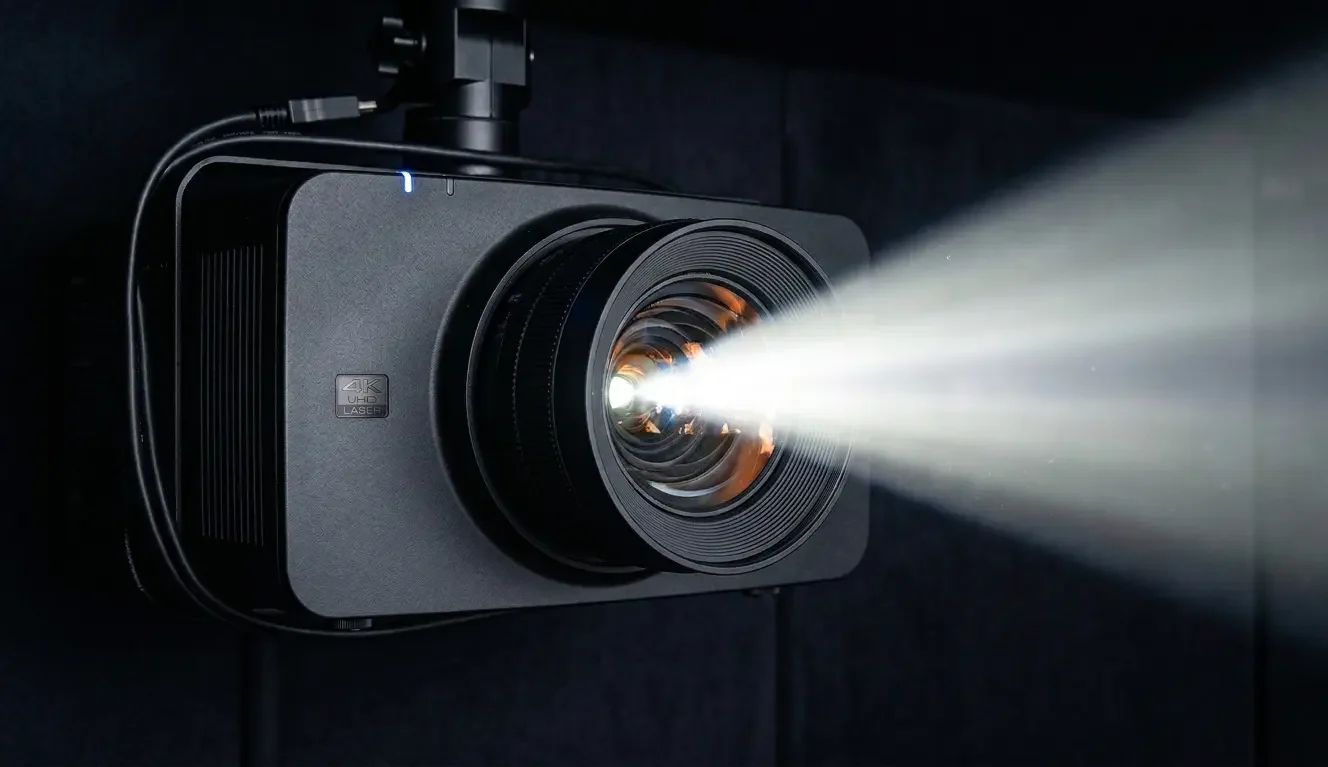
Projector shopping gets weird fast: every model looks “bright enough” online, then real life shows up—windows, light walls, open floor plans, and daytime sports. If you’re trying to build a theater vibe in a room that isn’t always dark, the biggest mistake is treating brightness as a single number.
The truth is, a washed-out image is usually a room problem before it’s a projector problem. Ambient light, reflective surfaces, screen choice, and throw distance can matter as much as the model you buy. This guide is designed to help you choose projector for home theater setups the way a pro would: buy for your room—not for marketing specs.
Correctly choosing a home theater projector is essential: ambient light, screen choice, and throw distance.
Brightness is not a magic number: why “brightest wins” fails in real rooms
Most people start with the same assumption: “If I pick a bright enough projector, it’ll look great anywhere.”
That’s understandable—brightness is one of the few specs that feels intuitive. But in real rooms, brightness doesn’t act like a cheat code. It’s more like a budget you spend, and your room can drain that budget quickly.
What shoppers often assume “brightness” means:
- It means the image will “cut through” daylight.
- It means colors will stay rich even with windows nearby.
- It means the picture will look like a TV when the sun is up.
Why the same projector can look incredible in one room and washed out in another:
- A dark, controlled room preserves contrast and perceived depth.
- A bright room with windows and light walls lifts the “black level” of the image (everything looks grayer), which makes the picture feel flat.
- Open spaces and reflective finishes bounce light back onto the screen, reducing the impact of the projected image.
So if you’re anxious about brightness claims, you’re not overthinking. You’re noticing the real issue: your room isn’t a showroom.
Myth: “More lumens fixes windows” — Reality: ambient light control is the real upgrade
If your room has windows and you want daytime sports, cartoons at 4pm, or casual TV during the day, you’re in the most common “projector regret” zone. Not because projectors can’t work there—but because most people try to solve a lighting problem with a spec sheet.
A simple daytime viewing reality check:
- If direct sunlight hits the screen area—even partially—almost any projector setup will struggle.
- If the room stays bright and surfaces are light, the image can look “fine” but not satisfying, especially for movies and dark scenes.
- If your goal is “TV-like” midday performance, your room and screen strategy become as important as the projector category you choose.
Practical light-control options that don’t turn into a remodel:
- Control the windows that matter most. You don’t have to black out the entire room. Start with the windows that throw light toward the screen wall or across the seating area during your prime viewing hours.
- Choose screen placement strategically. If you can move the screen away from the brightest window exposure, you reduce the amount of “fight” the projector has to do.
- Think about surfaces, not just windows. Light walls, glossy paint, white ceilings, and shiny floors reflect daylight and raise ambient light in the space. Even if the window light is “indirect,” a highly reflective room can still wash out the image.
- Plan for “day mode” and “night mode.” Many families use their projector differently during the day than at night. The goal isn’t perfection at all hours—it’s usable and enjoyable in your real routine.
If your room has windows, it’s worth reframing the purchase: don’t shop for “the brightest projector.” Shop for a combination of room control + screen + projector type that can hold up in your lighting conditions.
Myth: “A projector screen is optional” — Reality: the screen is half the system
Projecting onto a wall sounds tempting. It keeps the room clean, avoids another purchase, and feels like a reasonable shortcut.
In practice, it’s often where daylight setups go sideways—especially if you care about consistency.
Why “projector screen vs painted wall” is a decision, not a detail:
- Walls rarely have the same surface uniformity as a purpose-built screen. Texture, patching, paint sheen, and subtle waves can show up in bright content.
- Wall color and finish affect perceived brightness and contrast in ways people don’t anticipate.
- A screen can be selected to better fit the room’s lighting and viewing goals, while a wall is a fixed variable you’re trying to work around.
How screen choice interacts with ambient light and viewing goals:
- In a controlled, dark theater room, your screen choice is about cinematic quality and consistency.
- In a brighter room, screen choice can become a tool to preserve perceived contrast and reduce “washout” during daytime use.
- The wrong screen approach can make a bright-room setup feel disappointing even if the projector is capable.
You don’t need to become an expert in screen materials to make a good decision. You just need to accept that the screen is part of the system—and if daytime viewing matters, it’s often the part that makes or breaks satisfaction.
Myth: “Any projector works anywhere” — Reality: throw distance decides your options
Throw distance is one of the least glamorous parts of projector shopping—and one of the most decisive.
In plain English: throw distance is how far the projector needs to be from the screen to create the image size you want. Your room geometry limits what will fit comfortably.
Here’s why it matters:
- If you choose a projector that needs more distance than your room allows, you’ll either shrink the image or end up with awkward mounting.
- If you choose a projector type that doesn’t match your furniture plan and traffic flow, you can create shadow problems, noise annoyance, or installation compromises.
- Throw distance affects placement: ceiling mount, shelf mount, cabinet mount, or near-screen placement.
Short throw vs long throw projector home: when each makes sense
Short throw can be appealing because it sounds simple: place the projector closer, avoid running long cables, keep the ceiling clean.
But short throw isn’t automatically “easier.” It can change the room’s practical requirements.
Short throw can make sense when:
- You want a large image without placing a projector far back in the room.
- The room layout makes ceiling mounting difficult or visually undesirable.
- You want the projector closer to the screen and further from the seating area.
Long throw can make sense when:
- You have the depth to mount farther back and want flexibility in placement.
- You want the projector out of sightlines and away from the front wall area.
- You have a stable seating plan and can choose a mounting location that fits.
Common room-layout traps to avoid:
- Planning for a projector “somewhere” without confirming image size and mounting distance.
- Choosing a placement that interrupts walkways or creates heads-in-the-beam shadows.
- Forgetting to account for where the equipment will live and how the system will be controlled day-to-day.
Before you fall in love with a projector spec, measure the room. Throw distance is the filter that prevents expensive “it doesn’t fit” surprises.
Choosing by room type: the quick decision guide homeowners actually need
Specs are noisy. Rooms are real. This is the simplest way to reduce decision anxiety: decide based on the room you actually have.
Living room with windows (daytime sports/TV priority)
If daytime viewing matters, your priorities shift:
- Light control matters more than chasing a single brightness number.
- Screen choice becomes strategic, not optional.
- Your definition of “good” should include “usable in the day,” not just “amazing at night.”
If you picture Sunday football with sunlight and you want the image to hold up, don’t shop like you’re building a pitch-black theater. Shop like you’re building a family-friendly media setup that can do both day and night with a clear plan.
Dark basement theater (movie-first)
Basements tend to be the easiest environment for projectors because light control is naturally better.
Your priorities often become:
- Cinematic consistency and perceived contrast
- Comfortable placement and quiet operation
- Screen selection aligned to a movie-first experience
In a true dark-room setup, you can focus less on daylight survival and more on the overall viewing experience you want to build.
Bonus room / mixed-use (the compromise case)
This is where most homeowners live: a space that does multiple jobs. Maybe it’s a playroom during the day, then a movie room at night. Maybe it’s a home office that becomes a media space.
For mixed-use rooms:
- Accept that there will be a “day mode” and “night mode.”
- Define what you want each mode to do well.
- Choose equipment and placement that fits your daily flow, not just your best-case scenario.
If you try to force a mixed-use room to behave like a dedicated theater at all hours, you’ll end up frustrated. If you design for how the room is actually used, a projector can be a great upgrade.
The contrarian moment: chasing “HDR” and specs can make you ignore the basics
It’s easy to get pulled into spec comparisons because they feel objective. But in real homes, the “best” specs don’t automatically create the best experience.
Why specs don’t equal experience:
- Your room lighting can flatten the image even if the projector is capable.
- A weak screen choice can waste the projector’s strengths.
- Poor placement can reduce perceived quality more than any spec gap between models.
What “good” looks like in real life:
- You can watch during the day without constantly fighting glare.
- Movie night looks impressive and consistent.
- The system works across content types—sports, streaming shows, kids content—without you constantly adjusting settings or the room.
If you’re comparing projectors and feeling stuck, take it as a sign: you need to step back from the spec sheet and decide what your room needs to do.
Common mistakes that cause washed-out images (and how to avoid them early)
Washed-out images usually come from predictable missteps. The good news: most of them are preventable before you buy.
Underestimating wall/ceiling reflections
Light-colored and glossy surfaces can bounce daylight and projector light back onto the screen, lifting the whole image and reducing perceived contrast. If you’re going for daytime use, this matters more than people expect.
Even small changes—like controlling the brightest windows or avoiding direct light on the screen area—can have outsized impact.
Buying the wrong screen type for the room
If you choose a screen approach without considering the room’s brightness, you can end up with an image that looks dull in the day or inconsistent across content.
If daylight matters, treat the screen as part of the solution, not an accessory.
Choosing a projector type that doesn’t fit the throw
This is where people get trapped:
- They plan a 120″ image without confirming the mounting distance.
- They choose a projector based on reviews without checking whether their room supports the throw range.
- They end up compromising the image size or installing in an awkward location.
Measure first. Then shop.
Poor placement (height/angle) that kills perceived contrast
Even if you pick the right category, placement matters:
- An awkward angle can distort the image or reduce perceived sharpness.
- A placement that puts the projector in a high-traffic path can create shadows and annoyance.
- A placement that’s too loud near the seating area can make the system feel “always on” in a bad way.
A clean, well-planned installation often feels like a bigger upgrade than a small step up in specs.
Proof posture: how to verify a projector will work in your room before you commit
This is how you protect yourself from the “it looked amazing online” trap.
What to test or ask for:
- Define your daytime and nighttime success criteria. For example: “Daytime sports should be watchable with shades partially open,” and “Movie night should feel cinematic with lights dimmed.”
- Confirm throw distance with your actual room measurements. Measure screen wall to potential projector locations and confirm your target image size is realistic.
- Consider screen samples or a screen plan. If your room is bright, the screen decision deserves more attention than most people give it.
- Adopt a return-policy mindset. If you’re buying before you can see it in your room, make sure you can adjust course if the setup doesn’t meet your expectations.
What “success criteria” looks like:
- Daytime: usable, comfortable, not constantly frustrating.
- Nighttime: impressive, immersive, and consistent across content.
- Daily operation: easy to control and reliable.
If you’re clear about what “good” means for your family, it becomes much easier to choose—and much harder to be swayed by marketing language.
Next steps: a low-friction plan to pick confidently (and get it installed right)
You don’t need to know everything about projectors to make a good decision. You just need to bring the right inputs to the decision.
What to measure at home:
- Room dimensions and where the screen could realistically go
- Window locations and when the room gets the most daylight
- Viewing distance and typical seating positions
- Possible projector locations (ceiling, shelf, cabinet, near-screen)
What to bring to a consultation:
- Photos of the room taken during the time of day you care about most
- Your target image size and viewing distance
- A quick description of your priorities: daytime sports, family TV, movie nights, mixed use
If your room has windows and you want daytime viewing, the right projector choice starts with the room—not the spec sheet.
We’ll look at your lighting, throw distance, seating, and screen options to prevent washout before you buy.
Schedule a planning consultation and we’ll map a setup that works in the day and still looks great at night.
FAQ content
How bright does a projector need to be for a living room with windows?
It depends on how much ambient light hits the screen area and how reflective the room is. Instead of shopping by a single brightness number, define your daytime viewing goals and focus on a combined plan: light control where it matters, a screen approach suited to the room, and a projector category that fits your throw distance and image size.
Is a projector screen better than a painted wall?
Often, yes—especially if you care about consistency and daytime performance. A painted wall can work for casual viewing, but a purpose-built screen typically produces more predictable results and gives you more control over how the image behaves in your lighting conditions.
Short throw vs long throw: which is better for a home setup?
Neither is universally better—it depends on room geometry and how you want to install. Short throw can help when you don’t have much depth or want to avoid a rear ceiling mount. Long throw can be easier when you have space to mount farther back and want the projector out of the way. The best choice starts with measuring your room and confirming the image size you want is practical.
What causes a washed-out projector image during the day?
Ambient light is the main culprit—either from windows or from reflections off bright walls and ceilings. Even a bright projector can look washed out if daylight or reflected light raises the room’s overall brightness and reduces perceived contrast on the screen.
Is a basement always the best place for a projector theater?
Basements are often easier because light control is naturally better, but they’re not the only good option. A living room can work well if you plan intentionally around windows, screen choice, and placement. The best location is the one that matches how your family will actually use the system.
Can you use a projector for daytime sports and TV?
Yes, with the right expectations and planning. For daytime viewing, you’ll get the best results by combining practical light control, a screen approach suited to the room, and a projector setup that fits your throw distance and viewing goals—rather than relying on brightness alone.
Schedule a projector + screen planning consultation (room-based selection + placement).
If your room has windows and you want daytime viewing, the right projector choice starts with the room—not the spec sheet.
We’ll look at your lighting, throw distance, seating, and screen options to prevent washout before you buy.
Schedule a planning consultation and we’ll map a setup that works in the day and still looks great at night.
RELATED LINKS:
BenQ — How to Choose the Right Projector Brightness and Lumens