
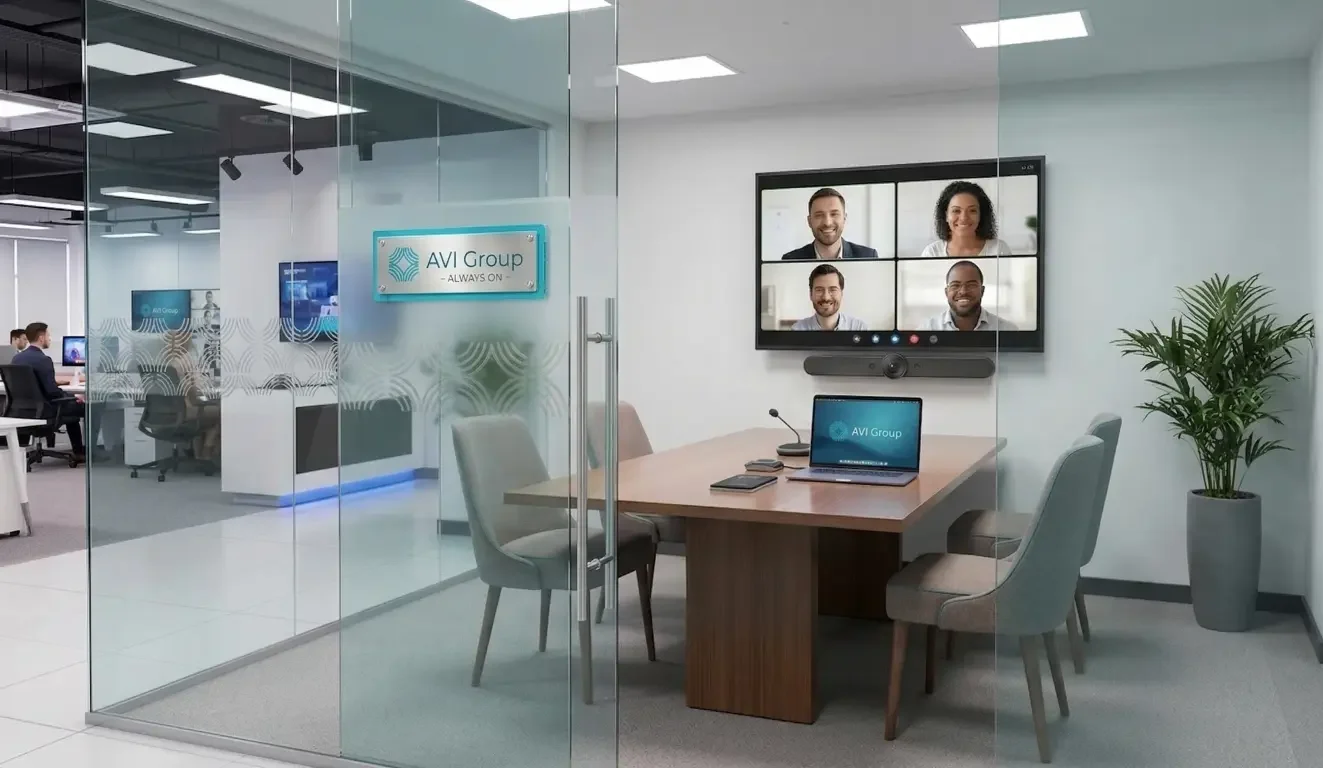
Moving into a new office can make every purchase feel urgent, especially when you know clients, staff, or remote team members may be sitting in that conference room within a few weeks. But getting a meeting space ready fast does not mean you need to buy a full enterprise system on day one.
In many cases, the better move is to build a small conference room AV setup around what the room actually needs to do first, then leave room to improve it later.
For a six-person room, the goal is not to impress people with complexity. It is to create a room that works smoothly for real meetings. That usually means choosing the right display, making sure people can be heard clearly, using a camera that captures the table well, and keeping the connection flow simple enough that no one needs a five-minute tutorial before every call. A smart first phase can keep the room clean, usable, and professional without forcing you into rushed decisions you may regret later.
Why small conference room AV gets oversold so easily
Small conference rooms often get treated like miniature boardrooms. That is where a lot of overspending begins.
A business owner looks for advice, sees polished images of premium meeting spaces, and starts assuming the same level of complexity is necessary for a room that seats only six people. Suddenly, a basic need, like making Zoom calls and sharing a screen, starts to look like a major AV project. That is usually the wrong frame.
A small room does not need less thought. It needs the right amount of thought. The problem is that many buying decisions get driven by fear rather than function. People worry about making the room look too simple, so they add equipment they do not yet need. Or they assume that if a product is marketed for conference spaces, it must belong on the first purchase list.
In reality, “simple” should not mean stripped down or temporary-looking. It should mean reliable, intuitive, and appropriate for the room. A six-person conference room can feel polished without becoming overloaded with hardware, cables, controls, and features your team may never use.
That distinction matters even more when you are moving into a new office in 30 days. At that point, the safest path is usually not “buy everything now.” It is “make the room work well now, then improve what the room actually proves it needs.”
Start with the room’s real job before you buy anything
Before choosing a screen, camera, or microphone, define what this room is supposed to do most often. That decision shapes everything that follows.
For a small business, a six-person conference room usually falls into one or more of these categories:
- Internal team meetings
- Hybrid check-ins with remote staff
- Video calls with clients or vendors
- Simple presentations or screen sharing
- Occasional in-person strategy sessions
Those uses may sound similar, but they create different priorities. A room used mostly for internal check-ins may need a very straightforward joining process and consistent audio. A room used for client presentations may need a cleaner visual impression and better display placement. A room that hosts frequent hybrid meetings may put more pressure on microphone pickup and camera coverage than on screen size alone.
This is where many rushed purchases go wrong. Instead of asking, “What does this room need to do every week?” people ask, “What are other companies buying?” That is not the same question.
If your office move is happening in 30 days, your best decisions will usually come from narrowing the room’s job, not broadening it. Ask:
- Will most meetings be on video or in person?
- Will people need to share content often?
- Will the room be used by multiple employees with different comfort levels?
- Will outside guests see this room regularly?
- Does the room need to feel polished immediately, or just function reliably on day one?
A room that needs to work right away should be designed around repeatable use. That means focusing on what your staff will do every day, not on edge-case scenarios. The right first setup is not the one with the most features. It is the one that handles your most common meeting flow without friction.
The minimum viable AV setup for a 6-person conference room
A minimum viable setup is not the cheapest possible setup. It is the smallest group of decisions that makes the room genuinely usable for meetings. For a six-person room, that usually comes down to four elements: display, camera, audio, and connection flow.
Display
The display anchors the room. Even in a small conference room, it is central to how people share content, follow video calls, and stay engaged. But bigger is not automatically better.
The screen should fit the room, not dominate it. In a space with six seats, the right display size depends on room dimensions, viewing distance, and table layout. If the screen is too small, people strain to read shared content. If it is too large for the space, the room can feel visually unbalanced and more expensive than it needs to be.
For a practical first phase, the main question is simple: can everyone in the room comfortably see presentation content and remote participants? If the answer is yes, you are probably in the right range. If the display becomes the entire identity of the room, you may be overspending at the expense of more important pieces, especially audio.
Mounting also matters more than many first-time buyers expect. A well-placed display contributes to comfort, sightlines, and a cleaner room. A poorly placed one can make even good equipment feel awkward.
Camera
For a six-person room, the camera’s job is not to look impressive on a spec sheet. It is to frame the table well.
That usually means wide enough coverage for everyone who will realistically sit in the room, along with placement that feels natural in meetings. In a small room, premium camera features are often less important than making sure the room participants are visible without forcing people to crowd into one side of the table or lean in unnaturally.
This is one reason a small conference room AV setup should be planned around layout, not just equipment. Where the table sits, where the display is mounted, and how far participants are from the front wall all affect whether the camera works well in practice.
A camera that captures the room cleanly, consistently, and without fuss is more valuable than a feature-heavy option that still misses the people at the ends of the table. In many small rooms, coverage and placement matter more than advanced features that sound impressive but do little to improve the actual meeting experience.
Microphone and speaker path
If there is one area where small businesses often under-prioritize their first conference room decisions, it is audio.
People are usually more forgiving of average video than of frustrating sound. A slightly less impressive camera rarely ruins a meeting. Poor audio can make the room feel disorganized, unprofessional, and tiring to use. That matters whether the room is hosting staff calls or speaking with clients.
For a small meeting room, the main goal is straightforward: everyone at the table should be heard clearly, and everyone in the room should be able to hear remote participants without strain. That can often be achieved with a relatively simple audio path, but it still needs thought. Microphone pickup, speaker clarity, room layout, and the way people actually sit all affect performance.
This is where generic advice like “just buy a speakerphone” becomes risky. Some solutions may be acceptable for occasional use. Others are more appropriate when the room will be shared regularly by a team and needs to work without constant adjustment. The article does not need to make brand-specific claims to explain the principle: for a small room, audio should be one of the first priorities, not an afterthought.
Connection and control
A room can have decent equipment and still fail if nobody can join a meeting quickly.
This is the quiet problem behind many DIY conference room builds. The room may technically have a screen, a camera, and audio, but the process of starting a meeting is clumsy. One employee knows how to make it work. Everyone else fumbles through cables, adapters, settings, or platform confusion.
For a small business moving into a new office, this is where simplicity pays off. People should be able to walk in, understand how to start or join a meeting, and share content without needing a workaround. That does not require an elaborate control system in every case, but it does require thinking beyond the hardware list.
The real question is: how will your team actually use the room? Will they bring laptops into meetings? Will they need a consistent way to connect to the display? Will video calls happen on one platform most of the time, or across multiple tools? Will the room be used by a few people or by many?
A good first-phase room supports a repeatable workflow. It avoids dependence on one person’s personal device habits. And it respects that meeting friction is not just a technical issue. It is a usability issue.
What to buy first, what can wait, and what is often overkill
When time is short, prioritization matters more than perfection. Not every purchase belongs in phase one.
For many small conference rooms, the first decisions should focus on what makes the room immediately usable:
- A properly sized display
- A dependable audio path
- A camera that frames the room well
- Clean mounting and cable management
- Control or workflow refinements after real use reveals what is needed
That order may surprise people who expect the camera or room interface to come first. But a room that looks polished on a product page can still be frustrating in daily use if the sound is weak, the mounting feels improvised, or nobody can connect cleanly.
What can often wait? In many small rooms, nonessential refinements can come later. That might include more advanced control layers, higher-end visual upgrades, or additional automation features that do not change whether the room works right now.
This is where overspending usually happens. A business owner sees a feature that might be useful someday and treats it like a first-day requirement. The result is a room that costs more, takes longer to finalize, and may still miss the basics.
A more disciplined approach asks two questions:
- Does this purchase improve the room’s core meeting function right away?
- Will the room feel incomplete without it in the first 30 to 60 days?
If the answer is no, it may belong in phase two.
That is the real value of a minimum viable setup. It protects the room from becoming a wishlist instead of a working environment. It gives you a solid first version, then lets real usage guide the next round of decisions.
The misconception: a small room does not mean any consumer setup will work
One of the most common assumptions in a small office is that a conference room can be built the same way someone might build a home media corner: buy a TV, add a webcam, connect a laptop, and call it done.
Sometimes that arrangement can function in a basic sense. But functioning is not the same as working well for shared business use.
A consumer setup may turn on. It may even support a successful test call. The problem often appears later, when the room is used by different people, across different meeting types, under time pressure. That is when little weaknesses become recurring friction. The cable is awkward. The microphone coverage is inconsistent. The camera angle only works when certain people sit in certain places. The room depends too much on whoever is most comfortable with tech.
That is why a small room should not be improvised carelessly just because it is small. A six-person room is easier to scope than a large boardroom, but it still deserves a plan. The equipment needs to support the room as a shared environment, not just as a one-time demo.
This is not an argument against practical decisions. It is an argument against casual ones.
A thoughtful room setup asks whether the system can be used repeatedly, cleanly, and confidently by the people who actually work there. That standard is higher than “it turns on,” but lower than “it needs to be a flagship showroom.” Most small businesses do not need the most complex path. They do need a room that behaves predictably.
Common mistakes small businesses make on a tight timeline
A 30-day move-in window changes how people buy. It encourages shortcuts. Some of those shortcuts are harmless. Others create daily irritation that lingers long after the boxes are unpacked.
One common mistake is buying pieces that do not fit together cleanly. A display, a camera, and an audio device may all be individually fine, but if the room workflow becomes awkward, the experience suffers. This is especially likely when purchases are made one at a time without a clear use plan.
Another frequent mistake is over-focusing on the screen. The display is visible, so it feels important. But a meeting room is an experience, not just a wall-mounted object. If the audio is weak or the room is hard to join from, the display will not rescue the room.
Furniture layout and sightlines also get ignored more often than they should. In a small conference room, table placement, wall position, and participant seating affect whether the camera sees people well and whether the display feels comfortable to use. Equipment decisions made without that context often lead to awkward compromises.
Cable routing and mounting are another blind spot. In a rushed setup, people assume they can “clean it up later.” Sometimes they do not. The result is a room that technically works but looks temporary or cluttered. That matters more than many teams realize, especially if clients or partners will sit there.
Finally, many rooms get built around one person’s laptop habits instead of a room workflow. That may feel fine during setup because the most tech-comfortable person is usually the one testing everything. But a shared conference room should not depend on one power user. It should be understandable to the team.
These mistakes are common not because small business owners are careless, but because office moves compress decision-making. That is exactly why a clear priority order matters. It protects the room from becoming a pile of rushed fixes.
How to future-proof the room without overspending now
Future-proofing does not mean buying the most advanced option today. It means making decisions that leave room for improvement tomorrow.
For a small conference room, that usually starts with infrastructure and discipline. If the display is mounted well, the room layout is thoughtful, the cable path is clean, and the basic meeting flow works, you have already created a better foundation for future upgrades. That foundation matters more than jumping to premium features before you know how the room will actually be used.
An upgrade path can be practical and simple. You might begin with the essentials that make the room fully usable for hybrid meetings. Later, once your team has spent time in the space, you may discover that a certain pain point shows up repeatedly. Maybe the room needs a cleaner joining process. Maybe microphone performance matters more than expected. Maybe the display placement is right, but content sharing could be smoother. Those are stronger reasons to upgrade than simply assuming you need more from the start.
This is one reason phased planning can be useful for a small team. It reduces waste. It keeps the room aligned with real behavior instead of assumptions. And it gives you a better chance of making second-phase improvements that actually matter.
The key is to buy for today’s room while avoiding decisions that box you in. A room that is tidy, coherent, and thoughtfully laid out is easier to improve later than a room that was rushed together under deadline pressure.
How to evaluate whether your planned setup is actually enough
A room should be judged by how it performs in use, not by how complete the product list looks.
Before calling the setup done, run a real-world test. Not a casual glance. Not a single laptop check. A proper trial meeting that reflects how the room will actually be used. Put people in the seats. Start a video call. Share content. Listen from both sides. Notice how long it takes to begin.
Can everyone be seen without rearranging the room?
Can everyone be heard clearly without leaning toward the center?
Can participants in the room hear remote attendees without asking them to repeat themselves?
Can someone join the meeting without depending on one tech-savvy employee?
Can content be shared without turning the room into a troubleshooting session?
Those are the kinds of signals that matter. They are far more useful than comparing isolated specs or chasing features that may not improve the everyday experience.
For a small room, “enough” usually means the system supports the actual meeting flow with minimal friction. It does not need to do everything. It needs to do the core things consistently.
This mindset is especially helpful when you are on a tight office timeline. The goal is not to create the final version of the room before anyone has used it. The goal is to launch a room that is stable, presentable, and easy to use, then refine based on real feedback.
The simplest next step if you need the room working in 30 days
If your new office opens in 30 days, the smartest next step is usually not to start shopping blindly. It is to make a short planning pass before buying anything.
Start by defining the room’s most common use. Confirm how many people will usually sit in it and where the display and table will go. Decide which functions are essential on day one: video calls, screen sharing, internal meetings, client presentations, or some mix of those. Then build a first-phase equipment list around that use case instead of around generic “best setup” advice.
From there, focus on the essentials. Prioritize a display that suits the room, audio that supports clear conversation, a camera that captures the table, and a connection flow your team can actually use. Keep the physical setup clean. Leave room for refinement after the room has been in use.
Moving into a new office soon and want your conference room ready without overbuying?
AVI Group can help you scope a practical setup for your room size, timeline, and meeting needs.
Start with a simple plan, avoid costly missteps, and build a room that works now and upgrades cleanly later.
Book your free consultation to map out the right first phase.
FAQ
What is the best setup for a 6 person conference room?
The best setup for a 6 person conference room is usually one that covers the basics well: a properly sized display, clear audio, a camera that captures the table, and a simple way to join meetings and share content. The “best” setup is not always the biggest or most advanced. It is the one that matches how the room will actually be used.
What equipment do I need for a simple Zoom room setup for a small business?
A simple Zoom room setup for a small business usually needs four core elements: a display, a camera, a microphone-and-speaker solution, and a reliable connection flow for joining meetings and sharing content. The exact mix depends on the room layout and how often the room will be used, but the goal should be ease of use rather than feature overload.
What TV size works best for a small conference room?
The right TV size for a small conference room depends on room dimensions, viewing distance, and table placement. In a six-person room, the display should be large enough for shared content to be seen comfortably without overwhelming the space. It should be chosen as part of the room layout, not as a standalone purchase.
What microphone options are best for a small meeting room?
The best microphone options for a small meeting room are the ones that let everyone at the table be heard clearly and consistently. In practice, that means choosing a solution that fits the room size, seating layout, and meeting style. For many small rooms, audio clarity matters more than chasing advanced video features too early.
Can I set up a small conference room AV system without buying everything at once?
Yes. In many cases, a phased approach is the smarter choice. You can begin with a minimum viable system that handles your core meeting needs, then upgrade later once real usage shows what the room is missing. That often leads to better decisions than trying to build the final version of the room on day one.
How do I choose conference room AV when I need the space ready quickly?
When you need the room ready quickly, start by defining the room’s main job. Then prioritize the essentials: display, audio, camera, and meeting workflow. Avoid shopping from generic gear lists alone. A faster and more reliable outcome usually comes from making a few clear decisions in the right order rather than trying to solve every future need at once.
Moving into a new office soon and want your conference room ready without overbuying?
AVI Group can help you scope a practical setup for your room size, timeline, and meeting needs.
Start with a simple plan, avoid costly missteps, and build a room that works now and upgrades cleanly later.
Book your free consultation to map out the right first phase.
RELATED LINK: