
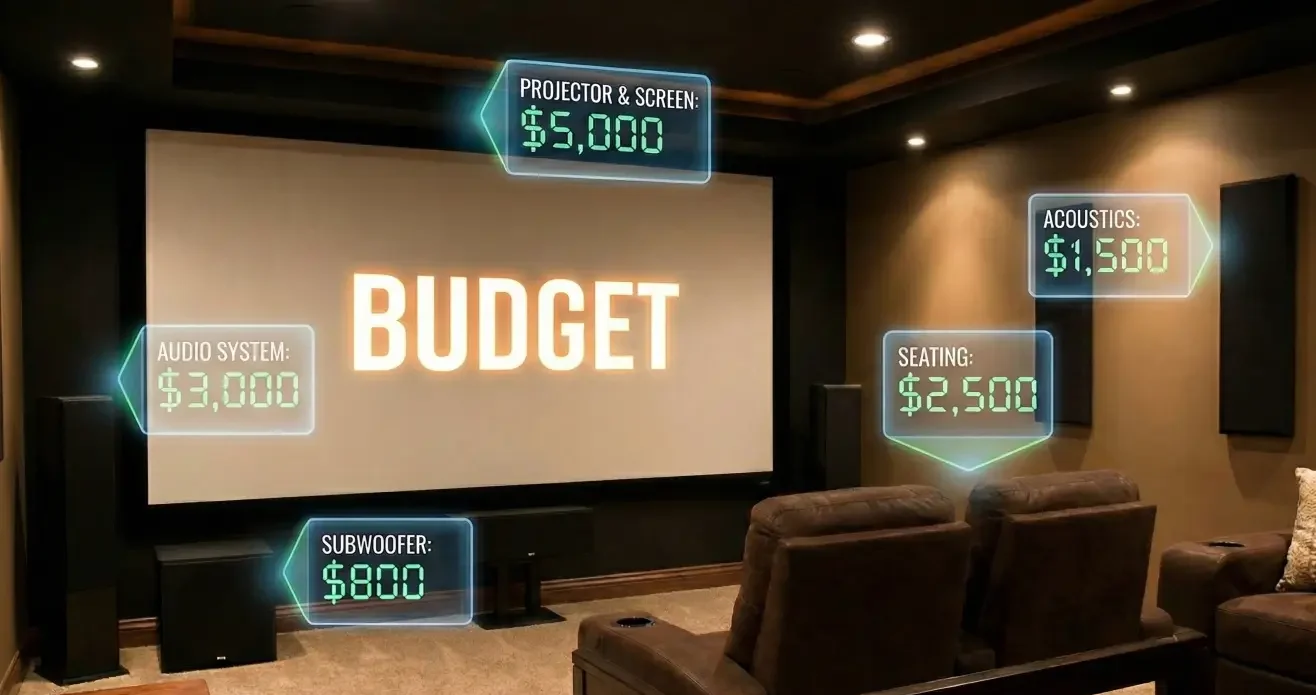
If you’ve tried to price a home theater, you’ve probably noticed something frustrating: two proposals can look “similar” on paper and still feel wildly different in scope. That’s because home theater cost drivers aren’t a secret price list—they’re a set of decisions that expand or simplify the build. When you understand those levers, you can control budget by controlling scope, and you can compare quotes without guessing.
This buyer brief is designed to give you fast clarity—no price fluff, no brand debates—just the practical factors that turn a simple setup into a more involved project.
The 6 Drivers That Change Scope Fast
What’s in your control vs what isn’t
Here’s the truth most homeowners don’t hear early enough: scope and complexity often influence the budget more than a single “fancy” device choice. That’s good news, because it means you can make intentional tradeoffs.
The 6 cost drivers (in plain language):
- Outcome expectations: “good sound” vs “cinema immersion” is not a small difference—it changes design, hardware, and labor.
- Room constraints: bright rooms, open layouts, and noise don’t just affect experience; they can add work (or force compromises).
- Infrastructure: wiring, power, and network readiness can be easy or painful depending on the home and your goals.
- Integration complexity: one room vs multi-zone control, automation, and “it just works” reliability.
- Labor + access + finish quality: mounting, concealment, cabinetry, patch/paint, and clean lines take time.
- Proof posture: the quality of planning inputs (measurements, photos, a room map) affects change orders and quote comparability.
In your control: your outcome target, how many zones you want, how “invisible” you want the install, whether you plan for future upgrades, and how much prep you do upfront.
Less in your control: existing construction realities (open walls vs finished walls), odd layouts, power availability, and how much light/noise your room naturally has.
The “room-first” link (prerequisite)
If you read one other piece before you shop, make it the room-first framework. The short version: your room is the main component. A room-first plan clarifies sightlines, light control, speaker placement constraints, and infrastructure needs—so you’re not buying gear first and discovering the compromises later.
Driver #1: Outcome Expectations (Immersion vs Convenience)
What “great” means to you
Homeowners often say: “I want it to look great and sound great.” Fair—but “great” can mean very different things:
- Immersion-first: you want the room to disappear and the content to take over (soundstage, clarity, controlled reflections, intentional seating).
- Convenience-first: you want it to start fast, work daily, and fit the rest of your life (simple control, fewer modes, fewer rules).
- Aesthetics-first: you want minimal visible tech (concealed speakers, hidden wiring, clean wall finishes).
- Flexibility-first: you want to use the room for multiple activities without constant reconfiguration.
Each outcome shifts your home theater installation scope. If you don’t name the outcome, the project defaults to someone else’s assumptions.
Hidden scope in “just add surround”
“Just add surround” sounds simple until you unpack what it implies:
- Where will speakers actually go given your layout and surfaces?
- Will you run new wire (prewire/retrofit), or rely on workarounds that can introduce limitations?
- How will seating location affect speaker geometry and perceived balance?
- Do you want dialogue clarity at low volume (often a design problem, not a “buy better speaker” problem)?
A tighter way to phrase the goal is: “I want clearer dialogue and fuller sound, with controls my household will actually use.” That statement creates a scope that can be designed.
Driver #2: Room Constraints and Construction Reality
Light control, noise, layout compromises
Room conditions can require additional work—or force intentional compromises.
Light:
If your room is bright, you’re either investing in light management (shades, curtains, surface choices) or accepting that perceived contrast and immersion may be limited. The choice is yours, but it should be explicit.
Noise:
Open-concept spill, HVAC noise, or nearby activity can undermine the experience. Managing that can be as simple as adjusting expectations and seating—or as involved as design changes. Either way, it’s a scope driver.
Layout:
If seating must be off-center, if walkways cut through the room, or if the “screen wall” isn’t really available, placement decisions become constrained. Constraint doesn’t mean failure. It just means design becomes more important.
Common rework triggers
Rework isn’t always the result of poor workmanship. Often, it comes from unclear assumptions. Common triggers include:
- Choosing a display location before confirming seating and sightlines
- Discovering reflections after installation (glossy surfaces, windows, lighting)
- Speaker locations that looked good in a diagram but don’t work in the real room
- Underestimating access challenges (finished walls, tight attic/crawl spaces)
- “We’ll fix it later” wiring decisions that become permanent
If you want fewer change orders, start by documenting constraints and preferences before anyone starts installing.
Driver #3: Infrastructure (Wiring, Power, Network)
Prewire vs retrofit tradeoffs
Infrastructure is one of the most misunderstood home theater budget factors because it’s not glamorous—but it’s where a lot of labor hides.
- Prewire (planned early): generally cleaner, more flexible, and easier to future-proof.
- Retrofit (after the room is finished): can still be done well, but often requires more creativity, more labor, and more compromises (depending on the home).
This is also where people ask about prewire costs. Instead of thinking “what does prewire cost,” ask: “What does prewire prevent later?” The answer is usually disruption, visible workarounds, and limits on upgrades.
Network readiness
Streaming, multi-room audio, control systems, and “it starts when you press the button” reliability often depend on your in-home network—not just your internet plan. If the network is unstable or undersized for the use case, you get:
- dropouts and buffering,
- control delays,
- inconsistent device behavior,
- and troubleshooting that feels random.
You don’t need to become a network engineer. You just need a plan: where equipment lives, how devices connect, and how reliability will be achieved.
If you’re feeling stuck right here, you’re not alone. Infrastructure questions are where most “budget anxiety” comes from—because it’s hard to visualize.
If you want a plan that fits your room (not generic assumptions), a scoped conversation is the fastest way to turn unknowns into decisions.
You’ll walk away with clearer next steps: what’s required, what’s optional, and which choices actually move scope.
Request a Scoped Plan (Room + goals → next steps)
Driver #4: Integration Complexity (Control, Zones, Automation)
Single room vs whole-home impact
The jump from “one room theater” to “whole-home experience” isn’t just adding more speakers. It changes:
- control design (how people interact with the system),
- audio zoning and behavior,
- device coordination,
- and the amount of testing and configuration needed for reliability.
If your household wants “press one button and it works,” that’s an integration goal—not just a shopping list.
Reliability vs “device soup”
A common pattern is what some homeowners call “device soup”: separate apps, separate remotes, and a pile of boxes that technically work… but rarely feel effortless.
The cost driver isn’t the existence of devices—it’s the decision to integrate them into a coherent system. More integration can improve usability, but it must be planned well to avoid complexity for its own sake.
A useful question to ask yourself:
- Do we want more capability, or do we want fewer friction points?
Those are different scopes.
Driver #5: Labor, Access, and Finish Quality
Mounting, concealment, cabinetry
Finish quality isn’t a cosmetic extra—it’s time, coordination, and craft.
“Looks clean” can involve:
- in-wall cable routing,
- equipment placement planning,
- mounting and reinforcement,
- ventilation considerations,
- and sometimes cabinetry or custom concealment.
Even without custom carpentry, a clean result usually requires design choices early—especially around where gear lives and how visible you want the room to feel.
“Looks clean” costs
When homeowners say “I want no wires showing,” they’re really saying:
- I want the room to look intentional and finished.
That outcome often adds steps: planning pathways, choosing locations, and coordinating trades if patch/paint is involved. It doesn’t have to mean “expensive.” It does mean “planned.”
Build a Budget Plan Without a Price: Choose Your Tradeoffs
The goal here isn’t to guess a number. It’s to build a controllable scope you can compare across proposals.
Good/Better/Best by outcomes (no numbers)
Use this as a scope-tier framework. It’s not about “cheap vs expensive.” It’s about outcomes and effort.
| Outcome Tier | Best For | Typical Scope Characteristics | Common Tradeoff |
| Good | Great everyday viewing, minimal disruption | Single-room focus; simpler control; fewer concealment demands; pragmatic speaker/display placement | Less “cinema feel,” more compromise with room conditions |
| Better | More immersion + better usability | Stronger attention to seating/sightlines; improved sound planning; more deliberate wiring/network; cleaner integration | More planning and coordination required |
| Best | High-intent, cohesive experience | Room-first design; intentional light/sound control; infrastructure built for reliability; polished finishes and usability | Highest planning and execution complexity; more dependencies |
If you pick your tier upfront, you can evaluate proposals by alignment—not by marketing language.
A simple decision checklist
Use this to decide which direction fits your home and expectations.
Choose the simpler scope if… (M6-A)
- You want fast setup and daily convenience more than “cinema immersion.”
- Your room is highly multi-purpose and you don’t want major changes.
- You’re okay with some visible gear/wiring if it avoids disruption.
- You’d rather start with a solid baseline and refine later—but you still want an infrastructure plan.
Choose the more involved scope if…
- You want a specific experience (immersion, dialogue clarity, consistent performance).
- You’re sensitive to clutter, visible wires, or multiple remotes/apps.
- Your room has constraints (light, noise, layout) that you want addressed intentionally.
- You want to avoid rework and change orders by planning properly upfront.
Choose a phased plan if…
- You need to spread the project over time, but you’re willing to plan infrastructure early.
- You want a clear “now vs later” roadmap to avoid doing the same work twice.
- You can commit to a room-first plan even if you’re not buying everything today.
Proof Posture: What to Bring to a Consult
Measurements/photos/questions
If you want a scoped plan (and quotes you can actually compare), bring a simple “evidence pack”:
- Room dimensions (length/width/ceiling height)
- Window locations and when the room is bright
- Photos/video from corners + the screen wall view
- Seating options (where people realistically sit)
- Notes on noise sources (HVAC, kitchen, street)
- Your outcome target (“immersion-first” vs “convenience-first,” etc.)
- A list of “must-haves” and “nice-to-haves” (short is fine)
This isn’t busywork. It reduces assumptions—the #1 driver of proposal confusion.
Get a scoped plan
If you’re comparing quotes or trying to prevent “apples-to-oranges” decisions, the fastest path is a scope-first plan: room + goals → options → tradeoffs → next steps.
You’ll get clarity on what’s required, what’s optional, and which decisions actually move complexity—without committing to a purchase conversation too early.
Request a Scoped Plan (Room + goals → next steps)
FAQs
Scope & comparing proposals
What changes scope the most?
Outcome expectations, room constraints, infrastructure needs, integration complexity, and finish quality are the big levers. When those aren’t aligned, proposals look “similar” but aren’t. Next step: ask each provider what assumptions they made about seating, light control, wiring, and control usability.
What should a proposal include?
Beyond a product list, it should show layout intent, infrastructure scope, control approach, and stated tradeoffs. Next step: request a plain-language “what’s included / what’s not” breakdown so you can compare intelligently.
How do I compare two quotes without a price anchor?
Compare scope: what’s being built, how it’s integrated, what infrastructure is included, and what finish quality is assumed. Next step: convert each quote into a scope checklist (infrastructure, control, concealment, room conditions) and compare line by line.
Wiring, network, and infrastructure
Do I need new wiring?
Not always. It depends on your goals, your room, and whether you want clean concealment and upgrade flexibility. Next step: identify where equipment will live and how you want speakers/displays connected before deciding.
Is network really part of a home theater?
In many setups, yes—especially for streaming, control, and multi-room experiences. Reliability often depends on in-home network readiness. Next step: ask how the system will stay stable during peak usage (family devices, streaming, gaming).
Phasing, DIY, and expectations
Can I phase the project?
Often you can, but phasing works best when you plan infrastructure early to avoid disruption later. Next step: decide what must be “future-ready” now (wiring paths, power, network) even if hardware upgrades come later.
Should I DIY first and upgrade later?
DIY can work for simple goals, but “upgrade later” can become expensive if infrastructure and layout weren’t planned. Next step: even if you DIY, use a room-first plan so your first choices don’t block better outcomes later.
Definitions & scope language
What’s the difference between a “media room” and a “theater”?
A media room is typically multi-purpose and convenience-led; a theater is more immersion-led with stronger control over light, sound, and seating assumptions. Next step: choose which outcome matters more in your home before you shop.