
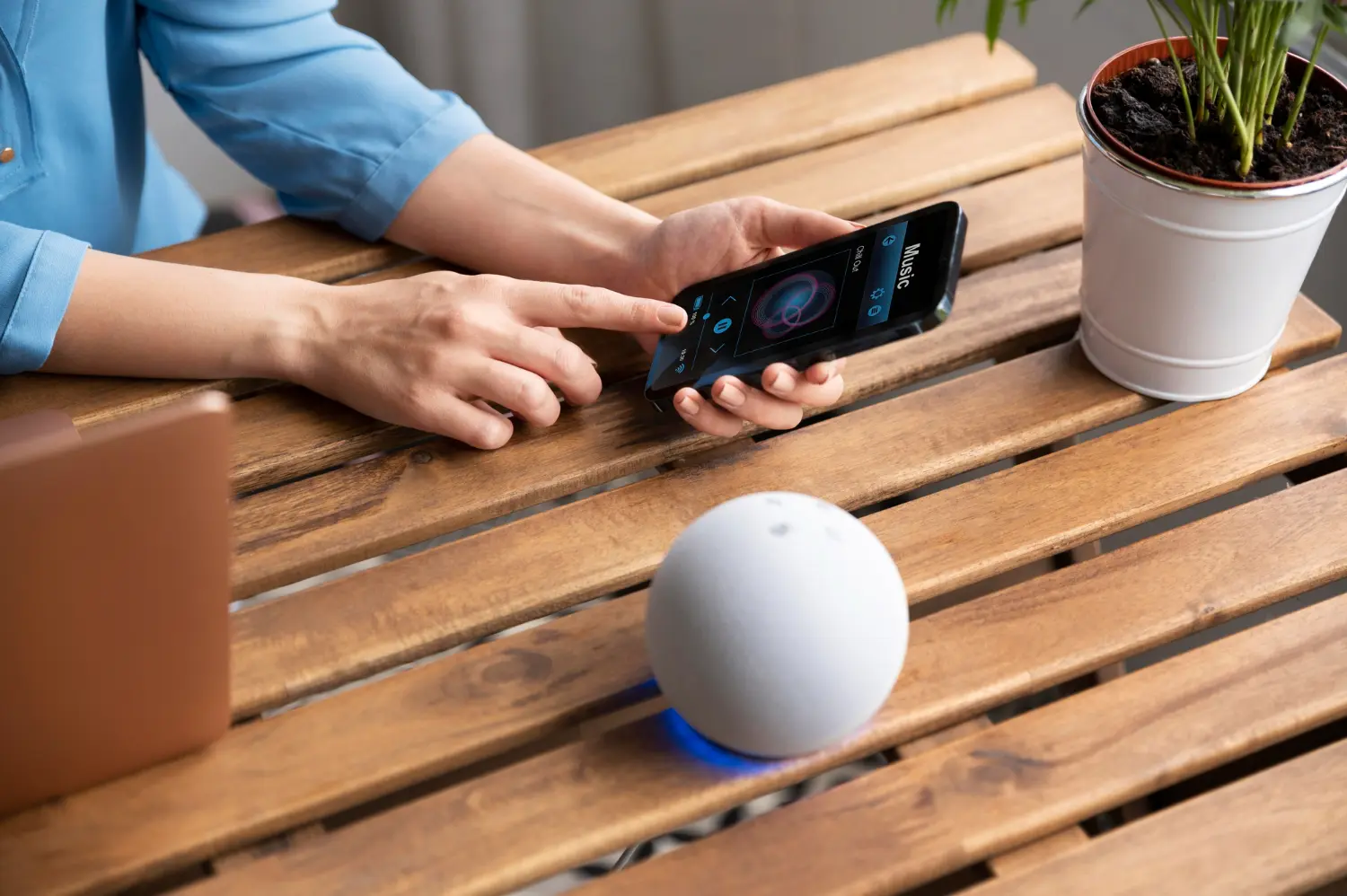
If your home feels like “device soup”—a smart lock here, a couple of smart bulbs there, cameras in one app, speakers in another—you’re not alone.
Most busy, tech-aware homeowners never sat down to design a smart home ecosystem. They just bought good gadgets over time. It felt safer, cheaper, and more flexible than committing to a full system.
Fast-forward a few years and there’s a different reality: five or more apps, a mix of brands, forgotten subscriptions, scenes that only one person knows how to use, and a house that’s “smart” on paper but still frustrating in daily life.
This piece unpacks the hidden financial, emotional, and security costs of that fragmented approach—and shows what changes when everything is designed to work together from the start.
How Most “Smart Homes” Actually End Up Looking
The Islands of Smart: Locks, Lights, Cameras, Speakers, All Separate
In the real world, very few homes start as fully planned systems. Instead, they grow as “islands of smart”:
- A video doorbell from one brand
- A couple of smart plugs for lamps
- A voice assistant in the kitchen
- Cameras from a different brand watching the driveway
- A Wi-Fi thermostat from yet another vendor
Each island works fine by itself. The problem is that none of them were designed with a shared brain.
You don’t have one smart home ecosystem; you have six tiny ones, all competing for attention.
Five or More Apps, No Shared Logic, and No One in Charge
Over time, it’s normal to end up with:
- 5–12 apps for various devices
- A mix of logins and cloud accounts
- Multiple subscriptions that renew quietly in the background
There’s no single place to see:
- “What’s on?”
- “What’s locked?”
- “What’s armed?”
- “What’s broken?”
And there’s no one person or company that feels responsible for the system as a whole. When something stops working, you start guessing which vendor to blame.
The Tinkerer vs the Rest of the Household Problem
Every house has a “primary tinkerer”—the person who:
- Installs the devices
- Creates scenes and routines
- Updates firmware and apps
- Troubleshoots when things go sideways
For that person, tinkering can be fun.
For everyone else—spouse, kids, guests—it can feel like the house only works when the tinkerer is home and in a good mood.
A unified smart home ecosystem should feel like infrastructure, not a hobby project. When it doesn’t, the rest of the household quietly avoids the tech or resents it.
The Problem: Friction You Stop Noticing Until Something Breaks
App Fatigue and the Mental Load of Managing Devices
App fatigue is real, even if you don’t call it that.
It’s the feeling of:
- “Which app do I use to change that light again?”
- “Is the camera notification from this app or that one?”
- “Why do we have three different ways to lock doors?”
Over months and years, the mental load adds up. You stop exploring features, you stop tuning automations, and you start accepting clunky workarounds:
- Using the wall switch instead of the smart dimmer
- Ignoring alerts because they’re too frequent or confusing
- Leaving devices “dumb” because it’s easier
The tech is in the house, but it isn’t really serving the house.
Half-Finished Automations and Scenes That Nobody Uses
Many homes have:
- Old scenes that don’t work because a device was replaced
- Routines that only trigger reliably “most of the time”
- Voice commands the system doesn’t always understand
You might even have scenes with names like “Movie Time” or “Away Mode” that sounded great when you set them up, but:
- The lights don’t always land where you expect
- The shades don’t respond consistently
- The sound system takes a few tries to join in
When people can’t trust automations, they stop using them. The result is a “smart” home that runs on manual effort.
When Guests, Kids, and Partners Can’t Work the House
One of the most obvious signs of a fragmented setup is how guests and non-tinkerers interact with it:
- Kids use physical switches because the app is confusing or missing from their devices
- Guests are afraid to touch anything because they don’t want to break it
- Your partner has a mental script of “just tell me what not to touch”
A healthy, unified smart home ecosystem should feel simpler than a non-smart home: one main interface, predictable behavior, and clear boundaries on what’s automated vs manual.
The Hidden Financial Costs of Piecemeal Smart Devices
Duplicate Hardware and Subscriptions You Forgot You’re Paying For
Buying devices one-by-one feels cheaper because each purchase is small. Over time, though, fragmentation creates quiet waste:
- Devices that were replaced instead of repurposed because they didn’t fit the new platform
- Multiple cloud plans or recording subscriptions across different camera brands
- “Bridge” devices and hubs that were bought to connect one brand to another
If you tracked years of gadget purchases, replacements, and add-on services, it’s common to discover that you’ve already spent a system-level budget—without ever getting system-level simplicity.
Replacement Cycles When Platforms Change or Get Abandoned
Consumer platforms evolve constantly. Devices you bought a few years ago might:
- Lose app support
- Stop receiving security updates
- Become incompatible with new standards and ecosystems
When your smart home is a patchwork of unrelated platforms, every change ripples unpredictably. You might find yourself replacing:
- A door lock that no longer integrates with your new hub
- A camera that’s stuck on an old cloud service you no longer trust
- A bunch of plugs and bulbs that never got an update for the latest standard
With a unified design, you’re still subject to change—but the goal is to anchor your investment around a stable ecosystem and wiring, not around whichever gadget was on sale last year.
The “Sunk Cost” Trap That Keeps You From Fixing the System
Perhaps the biggest cost is psychological.
Many homeowners know their setup is messy. They can feel:
- The friction of too many apps
- The frustration of scenes that half-work
- The worry about whether things are secure
But they’ve also spent real money and time. The idea of starting over is painful.
So they stay in a holding pattern: not thrilled, not confident, and not sure which step to take next. Meanwhile, the device pile grows, and the underlying problems remain.
Security and Reliability Risks Nobody Mentions in the Store
Default Passwords, Open Ports, and Forgotten Devices
Most smart devices ship in a way that’s easy to get started but not necessarily tuned for long-term security. Common issues include:
- Default or weak passwords never changed
- Devices exposed to the internet because of default settings or convenience features
- Old gadgets still plugged in, barely used, but connected to your network and forgotten
None of this means consumer devices are inherently unsafe. It does mean that security is about configuration and oversight, not just the brand name on the box.
A unified approach usually includes:
- A coherent strategy for networks, passwords, and updates
- A clear list of devices and where they live in your home
- Someone who periodically looks at the system as a whole
What Happens When Your “Hub” Is Just a Phone That Dies or Gets Lost
In many DIY setups, the real “hub” of the smart home is:
- One person’s phone
- One specific voice assistant
- One combination of logins that only they know
If that phone dies, is lost, or gets wiped, you can be left without:
- Access to certain accounts
- Admin rights to devices
- Reliable routines
A unified smart home ecosystem leans on shared, durable control points: wall keypads, central controllers, family accounts, documented access—not just a single personal device.
Firmware Roulette: Updates That Break Automations at the Worst Time
Updates are important, but they can introduce surprises:
- A light no longer responds to a scene
- A camera changes notification behavior overnight
- An integration between two brands suddenly stops working
When everything is piecemeal, you play “firmware roulette” across a dozen vendors. When the lights stop responding properly before guests arrive, you don’t know who to call or where to look first.
A unified system doesn’t magically eliminate bugs, but it concentrates responsibility. There’s a defined platform, a defined design, and often a professional who will help you manage changes over time.
Why Owning Fewer Platforms Gives You More Freedom
The Illusion of “Staying Flexible” by Avoiding a Unified System
A common objection is:
“If I commit to one system, I’ll be locked in. If I stay device-by-device, I’m more flexible.”
In practice, the opposite often happens.
A highly fragmented setup can lock you into your own mess:
- It becomes harder to change anything because everything depends on a fragile web of apps and routines.
- You hesitate to add or remove devices because you’re not sure what might break.
Real flexibility comes from clarity and structure, not from randomness.
How Standards, Not Brands, Protect You Long-Term
If you’re worried about longevity, it helps to separate:
- Standards – common languages and protocols that multiple brands support
- Brands – the specific names on the boxes
A thoughtful smart home integration focuses on:
- Wiring and network choices that support multiple standards
- Platforms that play well with a wide ecosystem
- A design that could, over time, swap out individual devices without redoing the whole house
You’re not betting your entire future on one logo. You’re designing around an ecosystem strategy, with plenty of room for evolution.
Why Real Flexibility Is About Design and Wiring, Not Boxes
Boxes come and go. Design and wiring last.
A flexible smart home ecosystem is one where:
- The right cables and conduits are in place
- Key locations (doors, shades, switches, AV points) are prepped for control
- The system can adapt to new hardware without tearing open walls
That’s the kind of flexibility that matters when you’re thinking in five- to ten-year horizons, not just “the next Black Friday deal.”
When Is It Time to Move From Devices to a System?
Thresholds: Number of Apps, Rooms, and People Using the Tech
Some simple thresholds indicate you’re ready to think in terms of a system:
- Apps – If you regularly use more than four apps to control your home, consolidation will likely reduce friction.
- Rooms – If you have smart tech in three or more main spaces (kitchen, family room, primary bedroom, entry), the coordination problem grows.
- People – If more than one person in the household uses the tech, you need shared logic and clear roles.
At this point, you no longer have “a few gadgets.” You have a small, unmanaged network.
Scenarios: Growing Family, New Home, Major Renovation, or Security Concern
Certain life events are natural inflection points:
- Growing family – More schedules, more devices, more need for things to “just work.”
- New home or big renovation – A chance to prewire, plan, and avoid future limitations.
- Security concern or incident – A wake-up call to evaluate how cameras, locks, and alerts actually fit together.
- Work-from-home shifts – More time in the house makes friction more obvious.
These are excellent moments to step back and ask, “Is it time to move from devices to a smart home ecosystem?”
DIY-Plus vs Fully Managed: Two Reasonable Paths Forward
You don’t have to choose between “do everything yourself” and “hand over total control.”
Two sensible paths:
- DIY-plus – You keep some existing devices, but work with a pro to design a backbone platform, network, and control strategy. You still tinker—but on top of a solid foundation.
- Fully managed – You delegate design, integration, and support to a team. Your role becomes choosing experiences and priorities, not wiring and settings.
The right answer depends on your time, interest, and appetite for troubleshooting.
What a Unified Smart Home Actually Looks Like Day to Day
One-Tap Scenes That Blend Light, Shades, Audio, and Security
A unified smart home ecosystem changes your daily interactions:
- A single “Goodnight” button that dims lights, closes shades, locks doors, arms security, and sets back the thermostat.
- A “Welcome Home” scene that brings up pathway lighting, disarms the alarm, and plays soft music.
- A “Movie” scene that gently drops the lights, lowers shades, and brings the AV system to life.
The point isn’t the novelty; it’s that you can trust it to work the same way, every time, from a keypad, an app, or a voice command—without wondering which brand controls which piece.
Clear Roles: Who Controls What in the Household
In a well-designed system:
- Kids know which buttons are safe and simple.
- Adults share an interface that makes sense even if they’re not tech-savvy.
- Advanced controls exist, but they’re not required for everyday use.
Instead of one person as the “keeper of the knowledge,” the system itself communicates clearly.
How Support Works When a Pro Designed the System
When a professional team designs and supports your smart home integration:
- There’s one place to call when something feels off.
- They have documentation, drawings, and a record of what’s installed.
- They can often diagnose issues remotely or schedule targeted visits.
The emotional shift is significant: you’re no longer the only line of defense between the family and a dark driveway or a silent doorbell.
From “Device Wrangling” to Living in a Cohesive Home
Story: The Family Who Went From 12 Apps to One Interface
Consider a composite example drawn from many real projects:
A family had built up 20+ devices over several years:
- Three different camera brands
- Two smart lock brands
- Smart bulbs in some rooms, smart switches in others
- Multiple speakers and voice assistants
They had 12 apps on two phones just to manage it all. One spouse liked the tech; the other privately said, “I hate this stuff—nothing ever just works.”
During a consolidation project, they:
- Standardized on a central control platform with a clean app and in-wall keypads
- Kept some favorite devices, replaced the most problematic ones
- Mapped daily life into a handful of reliable scenes: Morning, Away, Evening, Goodnight
Months later, the non-tinkerer spouse said something simple: “I actually use the scenes now.” The gadgets had faded into the background, and the home felt cohesive.
Morning, Away, and Movie Modes That Actually Run Themselves
The biggest change wasn’t a specific device. It was that everyday transitions no longer required mental effort:
- Mornings meant consistent light and temperature without fiddling with switches.
- Leaving the house meant one quick action instead of a checklist.
- Evenings and movie nights felt calm and predictable instead of fussy.
That’s the difference between device wrangling and living inside a thought-through smart home ecosystem.
The Relief of Knowing There’s Someone to Call
Finally, the family knew:
- Who installed the system
- Who had the documentation
- Who they could call if something changed or broke
They still added new features occasionally, but it felt like plugging into a plan—not stacking one more gadget on an already wobbly tower.
If your own setup feels more like “device soup” than a cohesive system, you don’t have to throw everything away. You can start by looking at your home the way a designer would: as one unified environment that deserves a unified plan.
Right after you’ve seen the financial, security, and emotional costs of a fragmented setup, it’s a great time to sit down with a Smart Home Design Expert. Walking through your rooms, your apps, and your priorities with a pro can turn frustration into a roadmap.
From there, you can use a simple Smart Home Audit Checklist to document what you have, what’s working, and what needs to change—so every new dollar you spend moves you toward a calmer, more cohesive home.